
Small business FAQ strategy
FAQ Page Best Practices for Small Businesses
A question log, scoring method, answer template, placement map, and maintenance plan for an FAQ page that helps customers act.
A useful FAQ page is built from questions that delayed a real customer, not questions invented to hold keywords.
The page should do two jobs. First, it should give customers accurate answers before they call, wait, or leave. Second, it should show the business where its website, booking flow, quote process, signs, policies, or staff scripts are still unclear.
This guide takes you from a 30-day question log to a working FAQ page. It includes a prioritization score, a reusable answer format, rules for deciding where each answer belongs, accessibility checks, and a 30-day review plan.
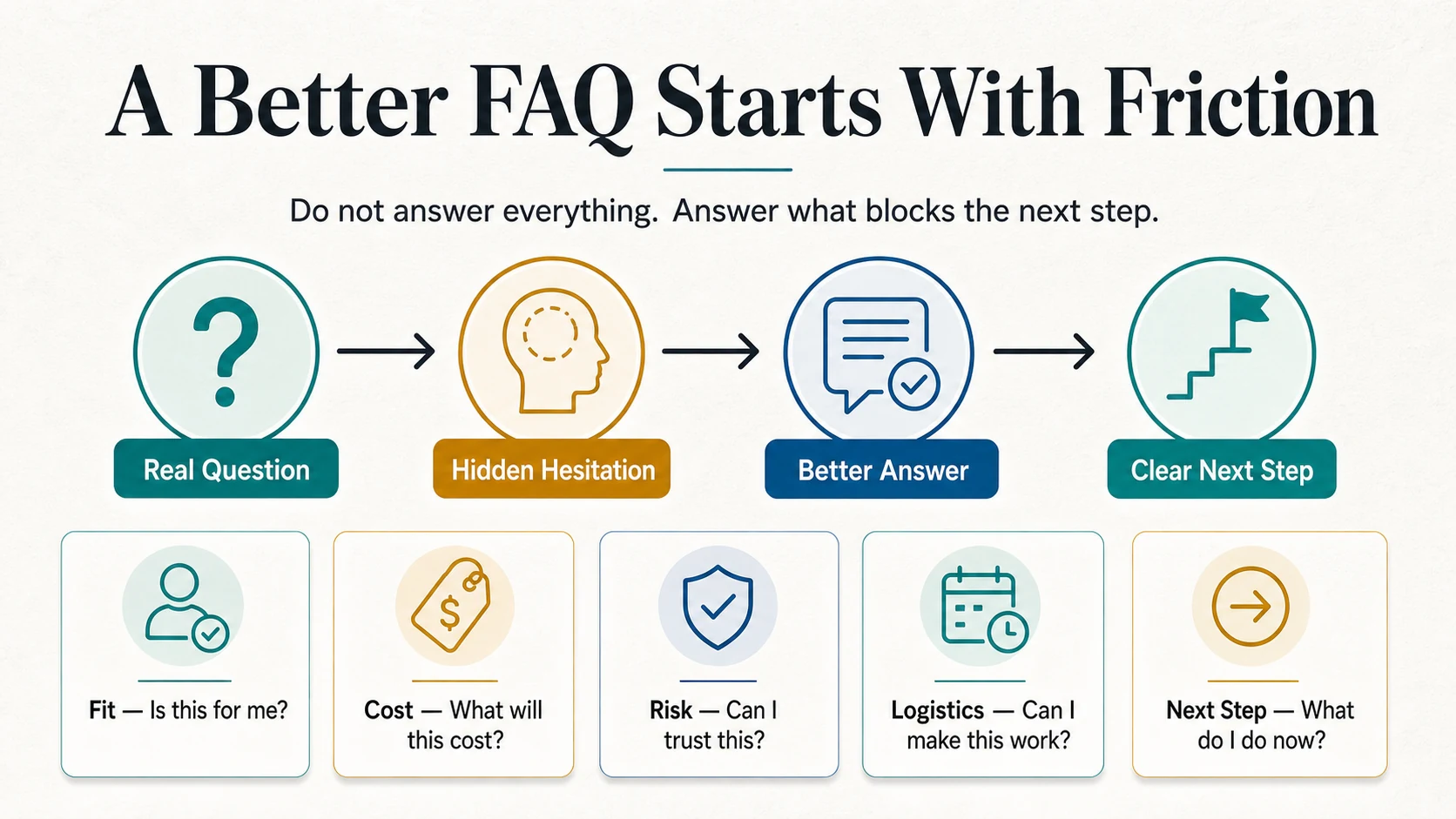
What an FAQ Page Should Accomplish
A small-business FAQ page should help a customer:
- Decide whether the business fits their situation.
- Understand cost drivers without mistaking a starting point for a final quote.
- Prepare for a visit, appointment, delivery, installation, or quote request.
- Understand a policy before agreeing to it.
- Choose the correct next step.
- Know when a person must make the decision.
It should also help the business find repeated friction. If customers keep asking whether you serve their ZIP code, the problem may not be a missing FAQ answer. The service-area information may be absent from the service page, quote form, Google Business Profile, and voicemail.
That distinction matters. The FAQ page can contain the answer, but it should not become an excuse to leave the buying path unclear.
Step 1: Build a 30-Day Customer Question Log
Do not begin with a blank document titled "Questions customers might ask." Save real language for 30 days.
Collect questions from:
- Phone calls and voicemail
- Email and contact forms
- Quote and booking requests
- Chat and social messages
- Questions heard by field, counter, sales, and support staff
- Review themes and complaints
- Search Console queries that reveal a real customer task
- Questions asked after scanning a sign, flyer, menu, package, or business card
Use one row for each question:
| Field | What to record |
|---|---|
| Exact wording | The customer's words, including uncertainty |
| Source | Call, form, message, in person, review, or search |
| Customer stage | Comparing, booking, preparing, waiting, or resolving a problem |
| Blocked decision | What the customer could not do without the answer |
| Answer used | What staff said or sent |
| Owner | Who is authorized to approve the answer |
| Best placement | FAQ, service page, form, policy, confirmation, sign, or human handoff |
Keep duplicates. Frequency is useful evidence. Also keep unusual questions that exposed a serious policy, safety, accessibility, or handoff problem even if they occurred once.
Step 2: Rank Questions by Customer Impact
Frequency alone is a weak filter. A question asked twice may block a large order, while a question asked every day may take five seconds to answer and cause no delay.
Score each question from 0 to 3 on four factors:
- Frequency: How often does it occur?
- Decision blockage: Does it stop someone from buying, booking, visiting, preparing, or resolving an issue?
- Staff effort: How much interruption or follow-up does it create?
- Answer confidence: Can the business publish a stable, approved answer?
Add the scores. Questions with high frequency, high blockage, high effort, and a stable answer belong near the top of the work list. A high-impact question with low answer confidence needs an owner and a human process before it needs website copy.
Use a separate flag for risk. Refunds, guarantees, allergens, equipment limitations, access, privacy, and customer-specific promises may require review even if the numerical score is low.
Step 3: Find the Real Question Behind the Words
"How much does it cost?" may mean several different things:
- Can I afford the minimum?
- Will the price change after you arrive?
- What information do you need to quote?
- Is the estimate free?
- Are materials, travel, delivery, or setup included?
A vague FAQ answer such as "Prices vary, contact us" does not resolve any of them.
Rewrite the question around the decision:
- Do you charge a diagnostic or trip fee?
- What changes the final price?
- What should I send for an accurate quote?
- Is delivery included in the listed price?
This is also how you avoid promotional questions. "Why choose our company?" is usually not a customer question. "Do you work on equipment from other manufacturers?" might be.
Step 4: Use a Complete Answer Template
Most FAQ answers need four visible parts:
- Direct answer: Answer yes, no, usually, or give the rule in the first sentence.
- Conditions: Name the facts that change the answer.
- Boundary: State what cannot be confirmed from the page.
- Next step: Tell the customer exactly what to do.
Weak answer:
Service-call pricing depends on the job. Contact us for details.
Stronger answer:
We charge a diagnostic visit before repair work begins. The final price depends on access, labor, parts, and whether the work is outside normal hours. Send the equipment model, site ZIP code, and two photos with your request. We confirm the repair price only after a technician reviews the job.
The stronger answer does not need to be long. It tells the reader what is known, what changes, what is not promised, and what to send.
Add an owner and review date behind the page
For every published answer, keep internal fields that customers do not see:
- Answer owner
- Source of truth
- Approval date
- Next review date
- Pages and scripts where the same answer appears
Without this record, an FAQ page becomes a collection of plausible sentences that nobody knows how to update.
Step 5: Put the Answer Where the Decision Happens
The central FAQ page is not always the best primary location.
| Customer question | Primary location | FAQ role |
|---|---|---|
| Do you serve my area? | Service page and quote form | Summarize and link to the service-area detail |
| What is your cancellation policy? | Booking flow and confirmation | Provide a plain-language summary and policy link |
| Where do I park? | Location page and appointment reminder | Repeat the essential direction |
| What affects the quote? | Service page and quote form | Explain the general pricing logic |
| What should I prepare? | Confirmation email or job instructions | Keep a reusable overview |
| What happens if something goes wrong? | Relevant policy and support flow | Explain the first step without making an outcome promise |
If the same answer appears in several places, do not maintain separate wording by memory. Choose one source of truth and keep a list of every place that must be updated.
Step 6: Design the Page for Scanning
Visitors usually arrive with one task. Help them recognize their question quickly.
Lead with high-impact questions
Do not begin with your founding story or a definition of the industry. Put the questions that affect fit, cost, timing, preparation, and next steps first.
Use customer-centered categories
Categories such as "Before You Request a Quote," "Scheduling and Arrival," "Pricing and Payment," "Preparing for Service," and "Changes or Problems" are usually more useful than "General" and "Other."
Keep headings specific
"How long does an on-site assessment take?" is better than "What about timing?" Specific headings help scanning, internal linking, and search engines understand the topic without keyword stuffing.
Split long or high-risk answers
A detailed return policy, installation guide, warranty, privacy notice, or technical procedure deserves its own page. The FAQ should give a direct summary and link to the full source.
Provide a human route
Some questions cannot be resolved publicly. Say what information to send, who will review it, and when the customer should expect a response. "Contact us" is not a useful next step unless the page also explains how and why.
Step 7: Make Accordions Accessible
Accordions can shorten a long mobile page, but they are not automatically easier to use. A short FAQ may be clearer with answers already open.
If you use custom accordions, the W3C Web Accessibility Initiative's accordion pattern provides a useful implementation checklist:
- The question control is a button associated with a heading.
- The control exposes whether the answer is expanded or collapsed.
- Enter and Space open or close the section.
- Tab moves through interactive controls in a logical order.
- The focus indicator remains visible.
- Opening an answer does not unexpectedly move the user elsewhere.
Also test at 200% zoom, with a keyboard only, and on a narrow phone. Long questions must wrap without covering the icon or nearby text. Search, filters, and "expand all" controls should not be added unless they work reliably with assistive technology.
FAQ SEO: What Google Actually Says
FAQ content can support search visibility when it is original, accurate, and genuinely helpful. It is not a shortcut.
Google's people-first content guidance asks whether content provides original information, substantial value, clear sourcing, and a satisfying experience. It also says Google has no preferred word count. That means an FAQ answer should be as long as the task requires, not padded to reach an SEO target.
Google changed FAQ rich-result visibility in 2023. Its Search Central announcement says FAQ rich results are shown regularly only for well-known, authoritative government and health websites; other sites may receive them much less often. A normal small-business FAQ strategy should therefore not depend on expanded FAQ search results.
If you use FAQPage structured data:
- Make sure the marked-up questions and answers are visible on the page.
- Keep the markup consistent with the current text.
- Do not mark up promotional content as if it were a customer answer.
- Follow Google's general structured-data policies.
- Remember that valid markup does not guarantee a rich result.
The SEO value comes from resolving a searcher's task and connecting them to the right detailed page, not from adding as many questions as possible.
Three Practical Before-and-After Examples
Home service: service area
Before: "What areas do you serve? We serve the local area. Contact us to learn more."
After: "Our standard service area covers the listed ZIP codes within 25 miles of our shop. Jobs outside that area may have a travel charge and are reviewed before booking. Enter the job ZIP code in the quote form to confirm coverage."
The business should place the ZIP-code list on the service page and quote form, not only in the FAQ.
B2B supplier: minimum order
Before: "Do you have minimums? Minimums vary."
After: "Standard catalog items have the case quantities shown on each product page. Custom labeling and made-to-order items use a separate minimum based on setup and material requirements. Send the SKU, destination country, and expected quantity for review."
The answer separates a published rule from a custom decision and tells the buyer what to send.
Repair company: arrival time
Before: "When will the technician arrive? We will be there as soon as possible."
After: "Your confirmation shows the current arrival window. Traffic, the prior job, and emergency dispatch can change it. If the window changes, the service coordinator will contact you. Call the number in your confirmation if nobody has arrived by the end of the window."
The answer avoids an exact promise the FAQ cannot verify and points to the live source of truth.
A 30-Day FAQ Improvement Plan
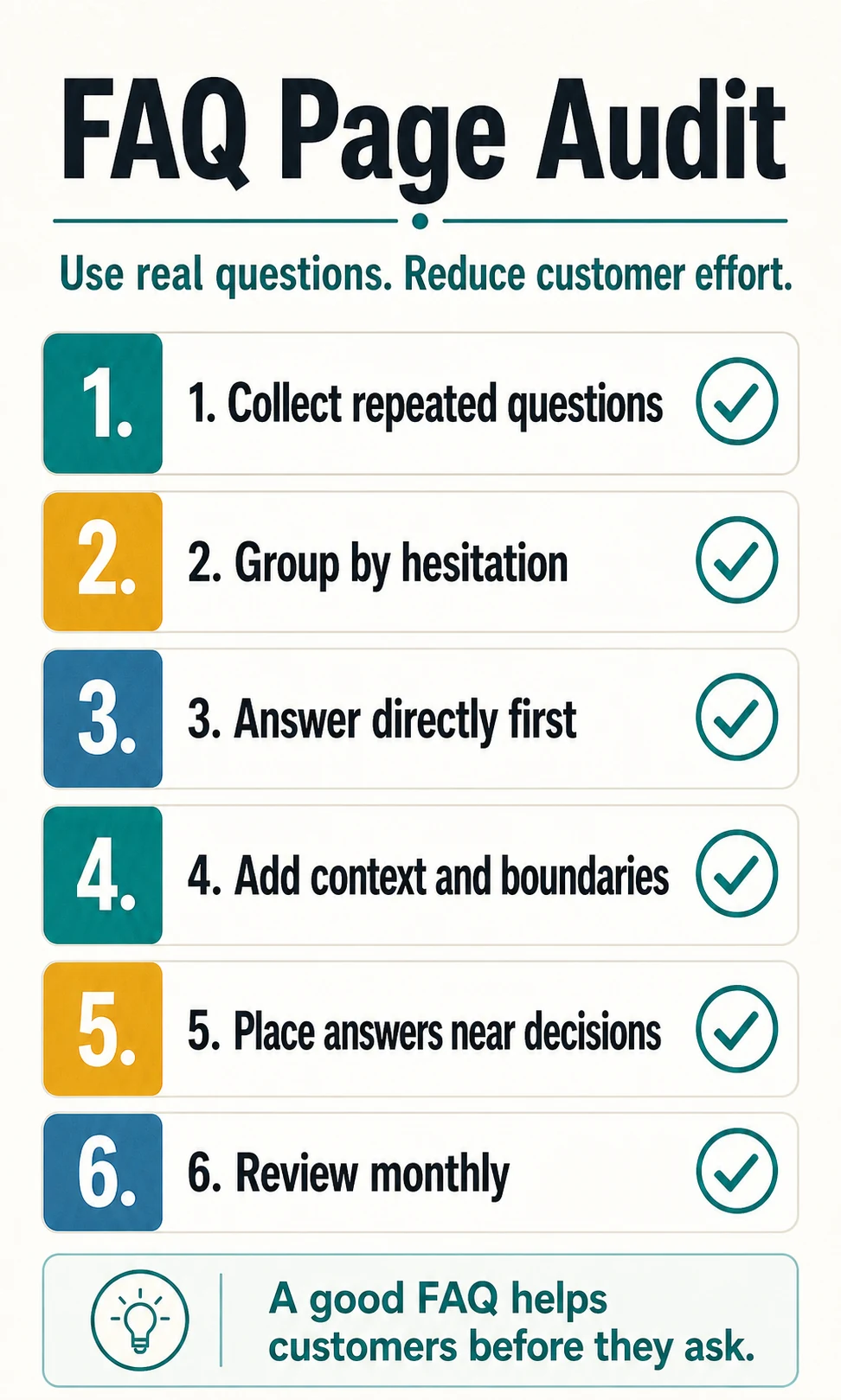
Week 1: Collect and score
Combine questions from every customer-facing team. Score frequency, blockage, staff effort, confidence, and risk. Select the highest-impact questions with approved answers.
Week 2: Write and place
Use the direct answer, conditions, boundary, and next-step format. Decide the primary location for each answer and add it near the affected decision.
Week 3: Test
Give five customers or staff members realistic tasks. Ask them to find service-area limits, pricing logic, preparation steps, a policy, and the correct contact path. Watch where they hesitate; do not explain the page while they test it.
Week 4: Measure and assign ownership
Review new calls, forms, messages, and search queries. Record which questions still repeat, which answers create new confusion, and which page should be fixed. Assign an owner and review trigger to every answer that can change.
Useful measures include:
- Top repeated questions before and after the change
- Contact-form submissions missing required information
- Calls that begin with "I could not find..."
- Visits from the FAQ page to booking, quote, location, or policy pages
- Questions that still require a person
- Answers updated because the business changed
Do not claim that every reduction in calls came from the FAQ page. Use the trend as one signal alongside customer feedback and task testing.
Final FAQ Page Checklist
- Questions come from real customer evidence.
- High-impact questions appear before low-impact questions.
- Every answer begins with a direct response.
- Conditions and human boundaries are explicit.
- Every answer tells the customer what to do next.
- Decision-critical answers also appear where the decision happens.
- Long policies and procedures have dedicated pages.
- Accordion controls work with keyboard and assistive technology.
- Structured data matches visible content.
- Every changing answer has an owner, source, and review trigger.
A strong FAQ page is not the page with the most answers. It is the page that helps customers recognize their situation, understand the rule, and take the correct next step without forcing the business to repeat itself.
Official Sources
- Google Search Central: Creating helpful, reliable, people-first content
- Google Search Central: Changes to HowTo and FAQ rich results
- Google Search Central: General structured data guidelines
- W3C Web Accessibility Initiative: Accordion Pattern
Frequently Asked Questions
What should a small business include on an FAQ page?
Include real questions that affect fit, cost, timing, risk, preparation, policies, and the next step. Each answer should give a direct response, the conditions that change it, and a clear action.
How many questions should a small-business FAQ page have?
There is no universal number. Publish the high-impact questions customers actually ask and remove low-value promotional questions. Split the content into categories or dedicated pages when scanning becomes difficult.
Are FAQ pages still useful for SEO?
They can be useful when they provide original, accurate answers that help visitors complete a task. Most businesses should not build FAQ pages mainly to obtain FAQ rich results, because Google limits that display primarily to well-known government and health sites.
Should a small business add FAQPage structured data?
Only add markup that accurately represents visible page content and follows Google's structured-data policies. Valid markup does not guarantee a rich result, and most small-business sites are not eligible for regular FAQ rich-result display.
Should FAQ answers use accordions?
Accordions can help long pages, but the controls must work with a keyboard, expose expanded and collapsed state to assistive technology, and keep headings meaningful. Short FAQ pages may be easier to scan with answers already open.
How often should a small business review its FAQ page?
Assign an owner and review whenever prices, policies, hours, service areas, products, or processes change. During the first month after a rewrite, review new questions weekly; after that, use a cadence that matches how often the business changes.