
QR code ideas
Best QR Code Ideas for Small Businesses in 2026
A practical 2026 guide to QR code ideas for small businesses, including where to place them, what each QR code should open, how to avoid weak scan destinations, and how to measure results.
Summary
The best QR code ideas for small businesses in 2026 are not about putting a code on every surface. They are about matching each physical customer moment to a useful destination. A counter QR code should answer counter questions. A flyer QR code should continue the flyer promise. A product package QR code should help with setup, care, warranty, or reordering. A business card QR code should make follow-up easier after the conversation ends.
A QR code is useful when it removes friction. It is weak when it sends everyone to a generic homepage, hides the real next step, or asks customers to do work the business should have done already. Use the ideas below as a planning menu: choose the touchpoints where questions already happen, decide what the scan should open, write a clear scan promise, test the code on a real phone, and measure whether customers actually get the answer they came for.

Start with the customer moment, not the QR code
A QR code works when the scan destination matches what the customer is trying to do in that exact place.
Many small businesses begin with the wrong question: where can we put a QR code? A better question is: where does a customer already pause, wonder, compare, hesitate, or need help? That pause is the opportunity. The QR code is only the bridge between the physical moment and the answer.
A person holding a flyer does not need the same page as a person standing at the counter. A person scanning a product package after purchase does not need the same page as a person scanning a window sign before the store opens. The scan promise should match the moment: see the menu, check service area, ask a product question, compare packages, book a visit, review care instructions, request a quote, or get after-hours answers.
This is why QR code ideas should be planned as workflows, not decorations. Each idea needs five parts: the physical trigger, the customer question, the scan promise, the destination, and the next step. If one of those parts is vague, the QR code may still get scans, but it will not create useful outcomes.
The quick decision rule: what should the QR code open?
If the customer scans because of a specific object, sign, offer, or question, do not send them to a generic homepage.
Use a homepage only when the customer truly needs a broad introduction. Most small business QR scans are more specific than that. A menu table tent should open menu answers, allergy notes, reservation rules, or payment details. A yard sign should open listing details, availability, open-house questions, or agent contact. A product label should open setup, ingredients, care, warranty, or reorder information.
Before printing, write the sentence that appears near the QR code. If the sentence is vague, the destination is probably vague too. Strong scan promises sound like: scan to check service areas, scan to ask product questions, scan for after-hours answers, scan for setup help, scan to compare packages, scan to get the current menu, scan before your appointment, or scan to request a quote.
The destination should be mobile-first, fast, and focused. The first screen should confirm that the customer is in the right place. Then it should answer the likely question or offer a simple way to ask it. If contact details are needed, make them available, but do not force every scanner into a form before giving basic help.
15 practical QR code ideas for small businesses
Choose QR ideas by touchpoint: what the customer sees, what they need, and what action should happen after the scan.
The most useful QR code ideas are ordinary. They sit where customers already make decisions: at the door, on the counter, on printed material, inside packaging, on a receipt, next to a menu, on a vehicle, or on a business card. Ordinary placement is not boring if the destination is specific.
Use the table as a shortlist. Do not launch all 15 at once. Pick one or two high-friction moments, build a focused destination, test with real phones, and then add more placements once the first version creates useful questions, bookings, purchases, or support deflections.
| Touchpoint | What the QR code should open | Use it when | Avoid |
|---|---|---|---|
| Counter sign | A focused answer page for service, wait time, pickup, parking, payment, or common questions. | Customers interrupt staff with the same questions. | A generic homepage with no counter context. |
| Business card | Contact options, service summary, remembered conversation notes, FAQ, or quote request. | Follow-up happens after a short in-person meeting. | Only linking to a social profile with no next step. |
| Flyer or brochure | The exact offer, event, service package, directions, proof, or question path promised by the print piece. | Print creates interest but cannot explain everything. | Changing the destination after printing without checking message match. |
| Window sign | Hours, after-hours answers, appointment rules, menu, parking, or contact path. | Customers arrive when the business is closed or busy. | Making the code too small to scan from outside. |
| Product packaging | Setup, care, ingredients, warranty, troubleshooting, reorder, or safety boundaries. | Post-purchase questions repeat. | Replacing required printed safety details with a scan-only path. |
| Receipt | Review request, return policy, care tips, reorder, support, or loyalty explanation. | The customer has just completed a transaction. | Asking for a review before resolving support problems. |
| Table tent | Menu details, allergy notes, payment, group policy, waitlist, or event questions. | Guests are already seated and need quick answers. | Forcing every interaction into an app download. |
| Vehicle or job site sign | Service area, emergency rules, proof, before-after examples, or quote request. | People notice the business in the neighborhood. | Using tiny codes that cannot be scanned from a safe distance. |
| Invoice or estimate | Project FAQ, prep steps, warranty, payment instructions, or next appointment details. | Customers need clarity after a quote or job. | Mixing payment, support, and marketing in one unclear page. |
| Product manual | Video setup, parts list, troubleshooting, warranty, and contact escalation. | Printed manuals cannot cover every scenario. | Hiding urgent safety information behind the QR code. |
| Event booth or pop-up | Product questions, catalog, samples, lead follow-up, directions, or post-event recap. | Staff cannot answer everyone at once. | Using one code for every audience and every intent. |
| Menu or takeout bag | Current menu, allergies, catering, reheating, pickup rules, or group orders. | Customers order later or ask repetitive food questions. | Leaving old seasonal items on the destination. |
| Shelf talker | Size, ingredients, comparison, care, fit, gift ideas, or staff recommendations. | Customers compare options without asking staff. | Adding too much text to the printed shelf label. |
| Hotel room or guest card | Wi-Fi, checkout, parking, amenities, local recommendations, and front desk FAQs. | Guests ask the same arrival and stay questions. | Making guests scan for emergency information only. |
| Direct mail | Offer detail, service area check, appointment request, proof, or local FAQ. | The mailer needs a measurable next step. | Sending every household to the same untracked page. |
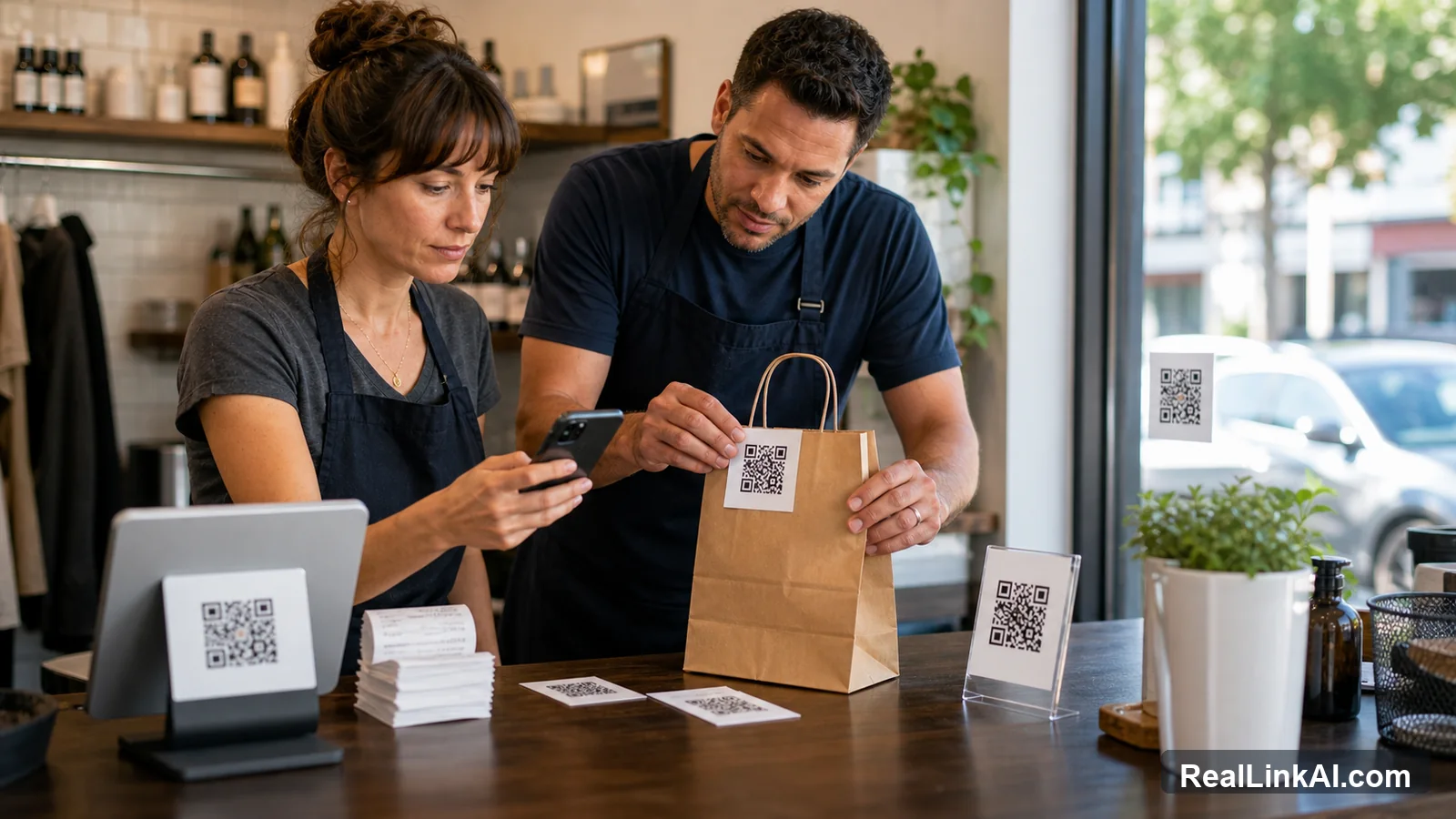
QR code ideas by business type
The same QR code can serve different jobs depending on the industry, customer mindset, and physical setting.
Restaurants can use QR codes beyond menus: allergy questions, parking instructions, group dining rules, waitlist details, catering inquiries, private event questions, and after-hours answers. The strongest restaurant QR placements are usually table tents, takeout bags, front-door signs, receipts, catering flyers, and hotel or event partner materials.
Retail stores can use QR codes on shelf talkers, care cards, receipts, fitting room signs, gift guides, and product packaging. The scan can help with sizing, ingredients, returns, restock timing, gift use cases, comparison questions, and care instructions. The goal is not to replace staff; it is to answer repetitive questions so staff can spend more time on judgment and service.
Service businesses can use QR codes on vans, door hangers, invoices, estimates, postcards, equipment labels, appointment reminders, and yard signs. Good destinations include service area, before-visit preparation, photo instructions, maintenance questions, warranty boundaries, emergency rules, and quote request steps. Hospitality, tourism, real estate, and events can add multilingual directions, local FAQs, arrival details, and venue-specific questions.
Where to place QR codes without annoying customers
A QR code should appear where scanning feels easier than asking, searching, waiting, or typing.
Good placement is visible, reachable, and contextual. Put the QR code near the object or decision it supports. If the customer must walk across the room, zoom a camera at a tiny code, or guess what the scan does, the placement is not good enough. For printed material, leave a quiet zone around the code, avoid glossy glare, and test the final physical size with several phones.
Do not use QR codes as a substitute for obvious information. If your hours, phone number, address, or price range can fit clearly on a sign, print them. Use the QR code for the deeper answer, the current details, the follow-up step, or the question path that would make the printed piece too crowded.
Use one main scan promise per placement. A counter sign that says scan for menu, hours, booking, discounts, support, and reviews is not a promise; it is a pile of tasks. A better counter sign might say scan to ask a question before you wait, or scan for pickup and parking details. Keep the promise narrow enough that the destination can deliver immediately.
What should happen after the scan
The scan destination should answer first, then guide the next step.
The best QR destination starts by confirming context. If the QR code is on a product insert, the page should recognize that the customer probably needs setup, care, troubleshooting, warranty, or reorder help. If the QR code is on a flyer, the page should continue the offer or event promise printed on that flyer. If the code is on a business card, it should help the customer remember the conversation and choose the next action.
A weak scan destination asks the customer to navigate from scratch. A strong one gives a direct answer path. That can be a short FAQ page, a focused landing page, a question form, a support guide, a booking page, a review request page, a map, a video, a quote request, or an answer page where customers can ask in natural language.
For high-intent scans, make the next step obvious but not aggressive. A customer who scans a support label may need help, not a sales pitch. A person scanning a flyer may need proof, availability, pricing context, or directions before they are ready to book. Match the next step to the scanner's stage.
How to measure whether a QR idea worked
Measure the outcome behind the scan, not only the scan count.
Scan volume can be misleading. A QR code may get many scans because it is confusing, novel, or placed in a high-traffic area. That does not mean it helped customers. Track what happened after the scan: questions asked, topics resolved, contact clicks, booking starts, quote requests, video views, review starts, support deflections, repeat questions, and staff interruptions.
Use separate QR destinations or campaign labels for major placements. A counter QR, receipt QR, flyer QR, product QR, and window QR should not all look identical in your notes. If they point to the same answer page, use source labels or UTM-style tracking where appropriate so you can see which physical touchpoints create useful action.
Review results before reprinting. If scanners keep asking the same question, move that answer higher. If a placement gets scans but no next step, the promise may be unclear. If staff still answers the same question every hour, the QR code may be too small, too vague, too far away, or attached to the wrong destination.

Common QR code mistakes to avoid
Most weak QR campaigns fail because the promise, placement, or destination is too generic.
The most common mistake is sending every scan to the homepage. The second is printing a code with no explanation. The third is making the code too small, too low contrast, too glossy, or too close to other artwork. The fourth is using one QR code for many unrelated jobs, which makes measurement and customer expectations unclear.
Another mistake is using QR codes to hide information that should be visible. If customers need emergency instructions, basic safety notes, legal notices, allergy warnings, price ranges, or opening hours before deciding whether to scan, do not make the QR code the only path. Print the critical information and use the scan for depth.
Finally, avoid launching without ownership. Someone must update the destination when hours, pricing, menus, availability, policies, staff, or service areas change. A stale QR destination is worse than no QR code because it teaches customers not to trust future scans.
- Printing a QR code without a plain-language scan promise.
- Using one QR destination for every touchpoint.
- Sending high-intent scans to a slow, generic homepage.
- Making the code too small or placing it in glare.
- Removing printed basics that should be visible without scanning.
- Forgetting to test the final printed code on multiple phones.
- Not tracking which placement created the question, booking, or request.
- Letting the destination become stale after hours, pricing, menus, or policies change.
Accessibility, privacy, and trust
Customers should understand what the scan opens, have another path if they cannot scan, and know when personal information is being requested.
Not every customer can or wants to scan a QR code. Provide a short URL, clear printed basics, or a staff option for important information. Avoid relying only on color, tiny text, or a code placed where wheelchair users, older customers, or people with low vision cannot comfortably reach it. A QR code is an extra path, not the only path.
Be careful with personal information. If the destination asks for a name, phone number, address, health detail, order number, payment issue, or private message, collect only what is needed for that task. Explain what the customer is doing and make the handoff to a person clear for sensitive, urgent, or regulated matters.
If the destination uses AI to answer questions, set boundaries. It can be useful for common questions, multilingual help, and guided next steps, but it should not make final quotes, emergency decisions, regulated recommendations, refund approvals, or sensitive eligibility decisions without human review.
Sources and quality note
This guide uses small-business operating logic and official references on customer research, local digital behavior, privacy, accessibility, and responsible AI boundaries.
SBA guidance supports starting with customer and market research before choosing a channel. Google Business Profile performance guidance is useful because local customers often take actions such as calls, website visits, directions, bookings, messages, and menu views outside the website. FTC guidance supports limiting and protecting personal information. W3C accessibility guidance supports providing usable alternatives and clear digital experiences. NIST's AI Risk Management Framework helps frame AI boundaries and review practices.
This article is operational guidance, not legal, accessibility, privacy, or compliance advice. Adapt the ideas to your industry, location, customer base, and risk level.
FAQ
What is the best QR code idea for a small business?
The best idea is the one that solves a real repeated customer question at a physical touchpoint. For many businesses, that starts with a counter sign, flyer, business card, product package, receipt, or window sign.
Should every QR code link to the homepage?
No. Use the homepage only for broad introductions. Most QR codes should open a focused page that matches the printed promise and the customer's immediate question.
How many QR codes should a small business use?
Start with one or two high-friction moments. Add more only after you can see which placement creates useful questions, bookings, quote requests, support resolutions, or reviews.
What should I write next to a QR code?
Write the scan promise in plain language: scan for setup help, scan to ask a question, scan for pickup details, scan to check service area, or scan for after-hours answers.
Are QR codes still useful in 2026?
Yes, when they connect offline attention to a useful mobile destination. They are weak when used as decoration or when they send customers to generic pages.
What should not be hidden behind a QR code?
Do not hide emergency information, required safety details, essential accessibility information, basic hours, or critical price and policy information that customers need before deciding whether to scan.
Last updated
Last updated: 2026-07-04.
Next useful guide
If you want to turn QR scans into actual customer answers instead of generic page visits, read the QR code customer service guide next.