
QR code ideas / business card
QR Code Ideas for Business Cards
The best business card QR code does not just send people somewhere. It helps them answer the question they had when they scanned it.
What is the TL;DR?
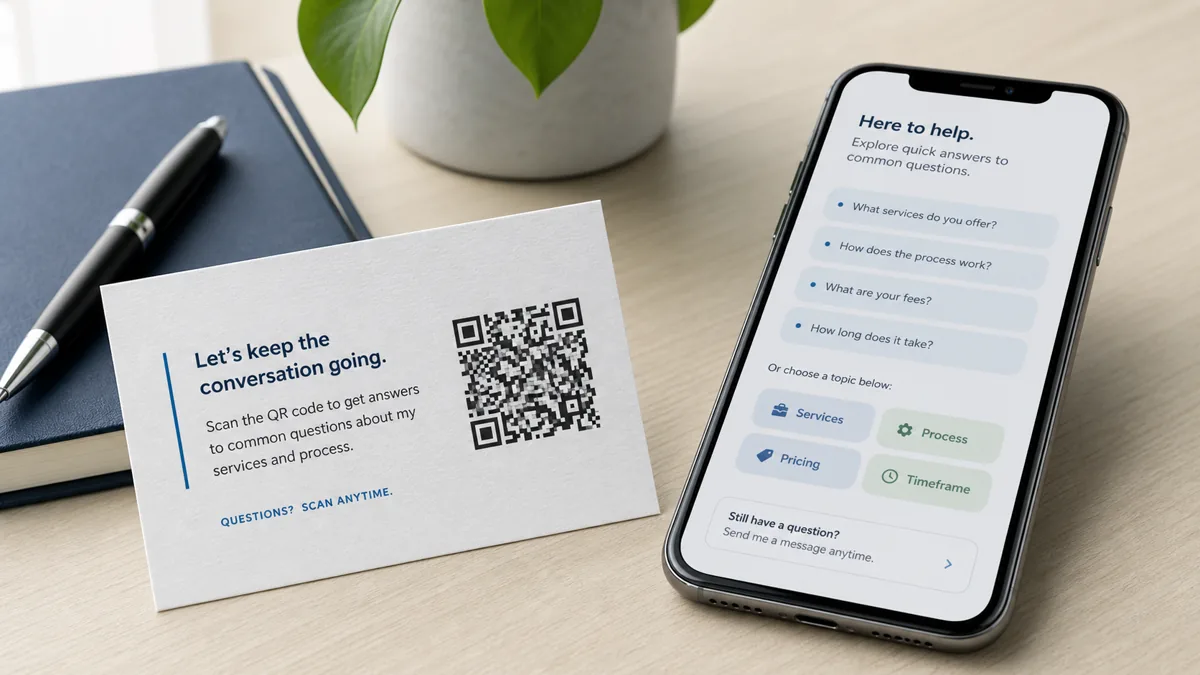
The best QR code ideas for business cards do more than save contact details. A strong business card QR code should help the person who just met you answer their next question: What do you do? Is this for me? What does it cost? Can I book? Can I see examples? What should I ask next? The simplest options are a contact card, website, calendar, portfolio, or offer page. The better option is an AI answer page that lets prospects ask follow-up questions, see approved answers, and take the next step without waiting for you to reply.
What are the key takeaways?
A business card QR code is useful only when it matches the scanner's intent. Think less about the code itself and more about the decision after the scan. The destination should reduce uncertainty, show proof, answer common questions, and make the next step obvious.
| Takeaway | What it means |
|---|---|
| The QR code is only the doorway | The scan destination determines whether the card creates action. |
| Do not send everyone to a homepage | A homepage often makes the scanner restart their search. |
| Match the scan moment | A networking card, salon card, realtor card, and trade-show card need different answers. |
| Add a clear scan promise | Say what the scan helps with, such as "Ask about services" or "See project examples." |
| Prepare follow-up questions | The best QR destination answers the questions people ask after meeting you. |
| Keep sensitive decisions human | Use the QR page for basic information, fit checks, examples, and next steps. |
Table of contents
- What is the short answer?
- Why do QR business cards fail after the scan?
- Why should a business card QR code not create homework?
- What do most QR business card guides miss?
- What questions do people actually ask?
- Which destinations are weak, and what is better?
- Which QR idea fits your business type?
- How do you plan the card before printing?
- What are practical examples?
- How can you do this without RealLink AI?
- How does RealLink AI make it easier?
- FAQ
What is the short answer?
The best QR code idea for a business card is a destination that answers the next question after the handshake. Use a contact card if the only goal is saving details. Use an AI answer page if prospects need services, pricing, proof, booking, portfolio, location, or fit questions answered before they act.
A business card is a very short attention window. The person may scan it at a conference table, in a parking lot, after a referral, or days later while cleaning out a bag. Your QR code should not make them guess what to do.
Strong QR business card destinations include:
- AI answer page for follow-up questions
- Contact save page or vCard
- Booking page with service context
- Portfolio or case study page
- Pricing explainer or starting-price page
- Menu, service list, or package guide
- Review and proof page
- Event-specific landing page
- Real estate listing question page
- Consultation intake form
- Product demo page
- Multilingual answer page
- Referral offer page
- FAQ page
- Location and directions page
- Social proof and media page
- "Ask me anything about this service" answer point
Why do QR business cards fail after the scan?
QR business cards fail when the scan destination does not match the reason someone scanned. A generic homepage, PDF, or social profile may be accurate, but it often leaves the prospect with the same unanswered questions they had before scanning. The gap is not the QR code. The gap is the answer after it.
Most people scan a card because they want context, not because they want another link. They may remember your name but forget your exact offer. They may wonder whether your service fits their budget, location, timing, problem, language, or industry.
The practical question is not only whether the code scans. It is whether the person who scans it can quickly understand what to do next.
| Failure | What happens |
|---|---|
| Homepage only | The scanner has to hunt for the relevant service. |
| Contact page only | The scanner still does not know what to ask. |
| Social profile only | The scanner gets distracted by unrelated posts. |
| Calendar only | The scanner may not be ready to book yet. |
| PDF brochure only | The scanner cannot ask a specific follow-up question. |
Why should a business card QR code not create homework?
A business card QR code should not turn the scan into homework. If the card sends prospects to a broad corporate homepage, they must figure out what you do, which service applies, and how to follow up. The better destination gives the next answer immediately: services, proof, questions, and next steps.
This short version captures the core mistake: the QR code is not the problem. The weak destination is. After a conference, referral, or quick conversation, prospects rarely want to dig through a site to reconstruct the conversation.
- Do not make prospects hunt through a messy homepage.
- Use the scan to answer what you do and why it matters.
- Give one clear next step after the answer.
What do most QR code business card guides miss?
Most QR business card guides focus on what you can link to: website, LinkedIn, vCard, portfolio, menu, or calendar. That is useful, but incomplete. The better question is what the person needs to understand after scanning, and whether the destination can answer that question fast enough to keep momentum.
The missed layer is customer intent. A prospect scanning a card from a realtor, consultant, stylist, contractor, insurance advisor, or B2B vendor is usually not thinking, "I want links." They are thinking:
- Is this person relevant to my situation?
- What should I ask first?
- Can I trust them?
- What happens if I reach out?
- Do they serve my area?
- Can I see examples?
- What does this usually cost?
- Can I book without an awkward back-and-forth?
That is why the strongest business card QR code is often not a static link. It is an answer point.
What questions do people actually ask after scanning a business card?
People usually ask practical, decision-shaped questions after scanning a business card. They want fit, proof, pricing direction, timing, next steps, and trust signals. Your QR destination should answer those questions directly instead of forcing the scanner to search your site, call you, or remember the conversation.
| Category | Customer question examples |
|---|---|
| Fit | Do you work with businesses like mine? |
| Pricing | What is the starting price? |
| Timing | How soon can we start? |
| Location | Do you serve my area? |
| Proof | Can I see examples of past work? |
| Process | What happens after I contact you? |
| Booking | Can I schedule a consultation? |
| Trust | Are you licensed, certified, or experienced in this? |
| Language | Can I ask in Spanish, Korean, or another language? |
| Boundary | Is this something you can advise on, or should I talk to a specialist? |
Which QR business card destinations are weak, and what is better?
A weak QR destination gives the scanner more navigation. A better destination gives the scanner a useful answer and a clear next step. The best choice depends on the relationship, but for most service businesses, a question-first page beats a generic link page because it keeps the conversation moving.
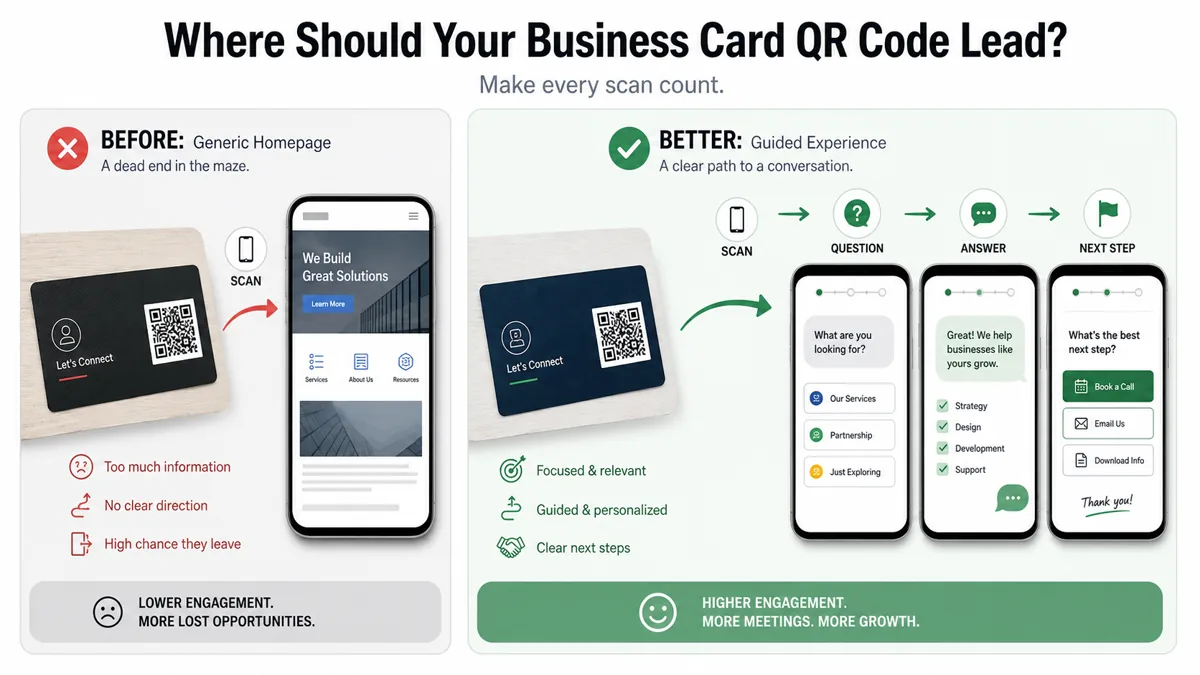
| Bad solution | Why it underperforms | Better solution |
|---|---|---|
| QR to homepage | Too broad and slow | QR to a page for the exact card audience |
| QR to LinkedIn only | Good for credentials, weak for action | QR to proof plus contact options |
| QR to calendar only | Assumes the person is ready to book | QR to answers, then booking |
| QR to PDF brochure | Static and hard to navigate on mobile | QR to short answers with media |
| QR to contact form | Creates work before value | QR to "ask first, contact next" |
| QR to coupon only | Attracts scans but not understanding | QR to offer details and eligibility answers |
| QR to link-in-bio page | Still makes the scanner choose | QR to an AI answer page with shortcut buttons |
Which QR code idea fits your business card use case?
The right QR code idea depends on the job your business card has to do. A networking card needs memory and follow-up. A service card needs fit and trust. A local business card needs hours, location, booking, and common questions. Choose the destination by the next decision the scanner must make.
| Business type | Best QR destination | Scan promise example |
|---|---|---|
| Consultant | AI answer page with services, proof, and booking | Scan to ask what I can help with. |
| Realtor | Listing, neighborhood, and buyer questions page | Scan to ask about listings and next steps. |
| Home service provider | Service area, pricing approach, photos, and quote path | Scan to check service fit before calling. |
| Salon or beauty professional | Services, prep, price ranges, booking link | Scan to choose the right service. |
| Restaurant or caterer | Menu, catering FAQ, allergy boundary, event inquiry | Scan to ask about catering or menu options. |
| Coach or creator | Programs, examples, media, application form | Scan to see if this is a fit. |
| B2B vendor | Product use cases, proof, demo booking | Scan to ask product questions. |
| Event exhibitor | Event-specific offer, demo, follow-up questions | Scan to continue the conversation. |
| Local shop | Hours, location, product questions, promotions | Scan to ask before you visit. |
How do you plan a useful QR code business card before printing?
Plan the QR destination before designing the card. Decide what the scanner should understand, ask, and do next. Then write a short scan promise, prepare answers, test the QR code on real phones, and include a fallback URL so the card still works if scanning fails.
- Define the card's job: contact, booking, lead capture, education, referral, or event follow-up.
- Pick one primary scan promise.
- List the 10 questions people ask after meeting you.
- Decide which questions can be answered automatically.
- Decide which questions need a human.
- Add proof: portfolio, photos, videos, credentials, or examples.
- Add action buttons: call, email, book, directions, website, offer, or intake form.
- Use a short, trustworthy destination URL.
- Print a fallback URL below or near the QR code.
- Test the code on iPhone and Android before printing.
- Test from the actual printed size, not only on screen.
- Review scan questions weekly and update the destination.
What are practical QR code business card examples by scenario?
A practical QR business card idea should name the moment, the scanner's likely question, and the next step. The more specific the card's context, the stronger the QR destination becomes. Below are concrete scenarios you can adapt without turning the card into a crowded brochure.
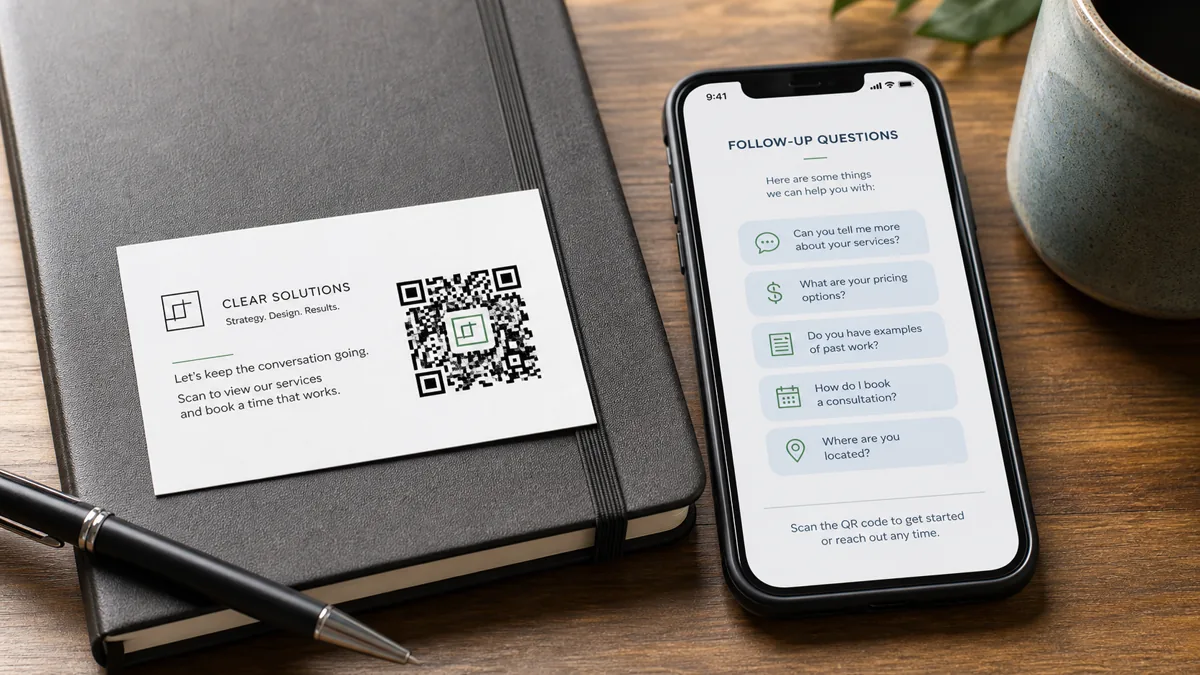
1. Consultant at a networking event
QR promise: Scan to ask what I can help with. The page answers services, industries served, typical projects, booking fit, and examples. The next step is to book a discovery call or send a short project note.
2. Realtor after an open house
QR promise: Ask about homes, neighborhoods, or next steps. The page answers listing criteria, buying process, local areas, showing expectations, and financing boundaries. The next step is to request a showing or ask for matching listings.
3. Home service contractor
QR promise: Check if we handle your project. The page answers service area, job types, photos needed, emergency boundaries, estimate process, and warranty basics. The next step is to call for urgent issues or submit project details.
4. Salon stylist
QR promise: Find the right service before booking. The page answers service differences, prep, approximate timing, policy basics, and booking link. The next step is to book the right appointment type.
5. Photographer or designer
QR promise: See work and ask about availability. The page answers portfolio categories, package basics, timeline, file delivery, and booking process. The next step is to request availability or view a relevant gallery.
6. Trade show vendor
QR promise: Ask product questions from the booth. The page answers product specs, use cases, setup, buyer fit, demo link, and follow-up options. The next step is to schedule a demo or request product details.
7. Local restaurant or catering owner
QR promise: Ask about catering, menu, or private events. The page answers catering minimums, allergy boundaries, delivery area, event sizes, and sample menus. The next step is to submit event details or call the restaurant.
How can you do this without RealLink AI?
You can build a useful QR business card without RealLink AI by creating a focused mobile landing page, adding a vCard download, linking to your booking page, writing a strong FAQ, and tracking scans with a campaign URL. This works best when your questions are simple and rarely change.
A manual setup can include:
- A mobile-first landing page
- vCard or contact-save button
- Service summary
- FAQ section
- Portfolio or proof links
- Booking or inquiry button
- Short URL fallback
- UTM tracking for the card
- Monthly review of form submissions and emails
This is a good starting point. The limitation is that people still have to read your prepared content, choose the right link, and contact you if their exact question is not answered.
How does RealLink AI make a QR business card easier?
RealLink AI makes a business card QR code more useful by turning the destination into an AI answer page. Instead of sending prospects to a static page, you can let them ask follow-up questions, receive approved answers, use shortcut buttons, and reveal the questions people ask after scanning.
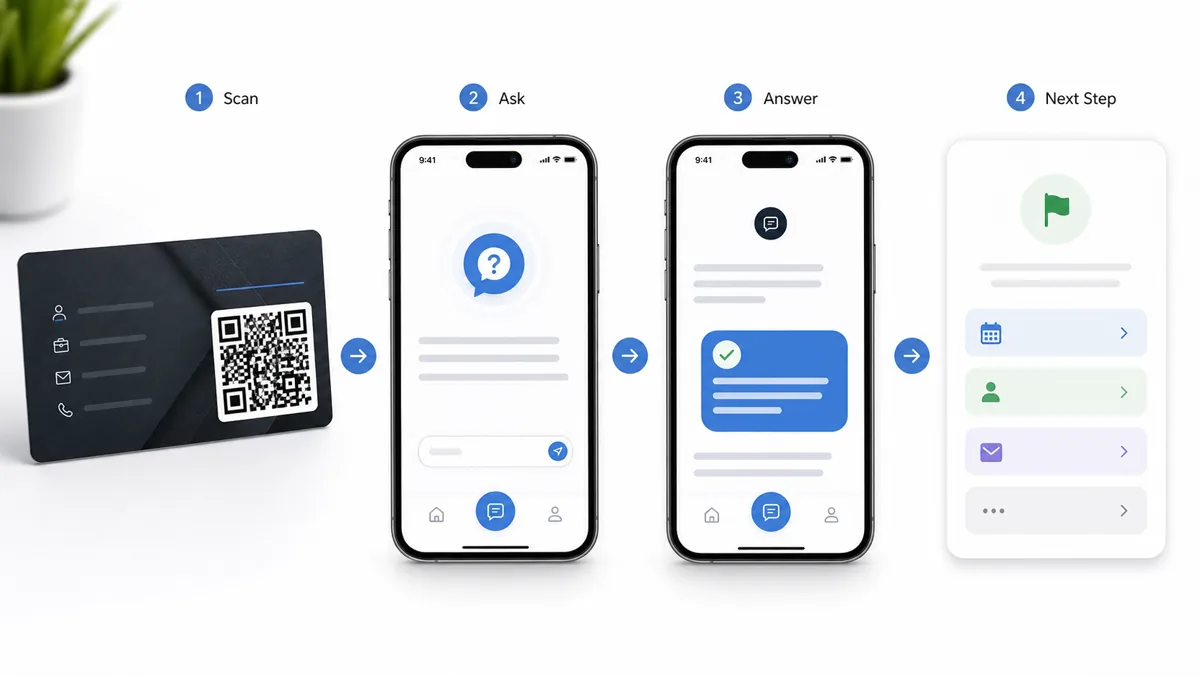
RealLink AI is useful when:
- You want one QR destination that can answer many questions.
- Your prospects ask similar questions before booking or buying.
- You want to keep final decisions, quotes, urgent issues, or regulated advice with a human.
- You want multilingual customers to ask in their own language.
- You want to learn which questions repeat after people scan your card.
The product fit is simple: your business card starts the conversation, and the AI answer page keeps it from going cold by answering the basic questions that usually delay follow-up.
FAQ
What should a QR code on a business card link to?
A business card QR code should link to the next useful action: contact save, booking, portfolio, service explainer, offer page, or AI answer page. If prospects usually have follow-up questions, avoid sending them only to a homepage.
Are QR codes on business cards still useful in 2026?
Yes. They are useful when the scan destination is mobile-friendly, specific, and action-oriented. They are weak when they only open a generic site with no clear next step.
Should my business card QR code open a vCard?
Use a vCard if your main goal is saving contact details. Use an answer page or focused landing page if the person needs to understand your services before contacting you.
What is the best QR code idea for consultants?
Consultants should usually link to a page that explains who they help, common problems, proof, service options, and booking next steps. An AI answer page can help prospects ask fit questions privately.
What is the best QR code idea for real estate agents?
A realtor's card can link to listing questions, buyer or seller FAQs, neighborhood information, showing expectations, and a contact path. Keep final pricing, legal, and financial guidance with qualified professionals.
Should I put multiple QR codes on one business card?
Usually no. One strong QR code with one scan promise is clearer than several codes. If you need multiple actions, put them behind the destination page as buttons.
How do I track scans from a business card QR code?
Use a dedicated URL or UTM campaign for the printed card. Track scans, button clicks, form submissions, bookings, and repeated questions if your destination supports question analytics.
What size should the QR code be on a business card?
Make it large enough to scan reliably after printing, keep a clear quiet zone, use strong contrast, and test the final printed proof on multiple phones. Do not judge scanability only from the design file.
Can a QR code replace follow-up?
No. A QR code can support follow-up by answering common questions and guiding next steps, but important relationships still need personal follow-up.
Is an AI answer page better than a link-in-bio page?
It can be better when prospects need answers, not just links. A link-in-bio page organizes destinations. An AI answer page helps the scanner ask the question they actually have.
Create AI for your business card
A QR code should not just send people somewhere. It should answer the question they had when they scanned it. Create AI for your sign, flyer, menu, card, or packaging.