
Small business phone coverage
Answering Service for Small Business: A Practical Buyer's Guide
Audit your calls, choose the right coverage model, test providers, and measure the first 30 days without paying a person to repeat every basic answer.
Do not start by asking which answering service is best. Start by asking which calls deserve a live answer, which need a fast callback, and which should never have become calls.
An answering service can protect quote requests, after-hours leads, urgent jobs, and customers who need a person. It can also become an expensive message-taking layer if the service has a weak script, cannot complete the promised task, or sends every routine question back to your team.
This guide gives you a buying process. You will build a five-day call baseline, map coverage by call type, compare the full operating cost, test the service with ten scenarios, and decide whether it is helping after 30 days.
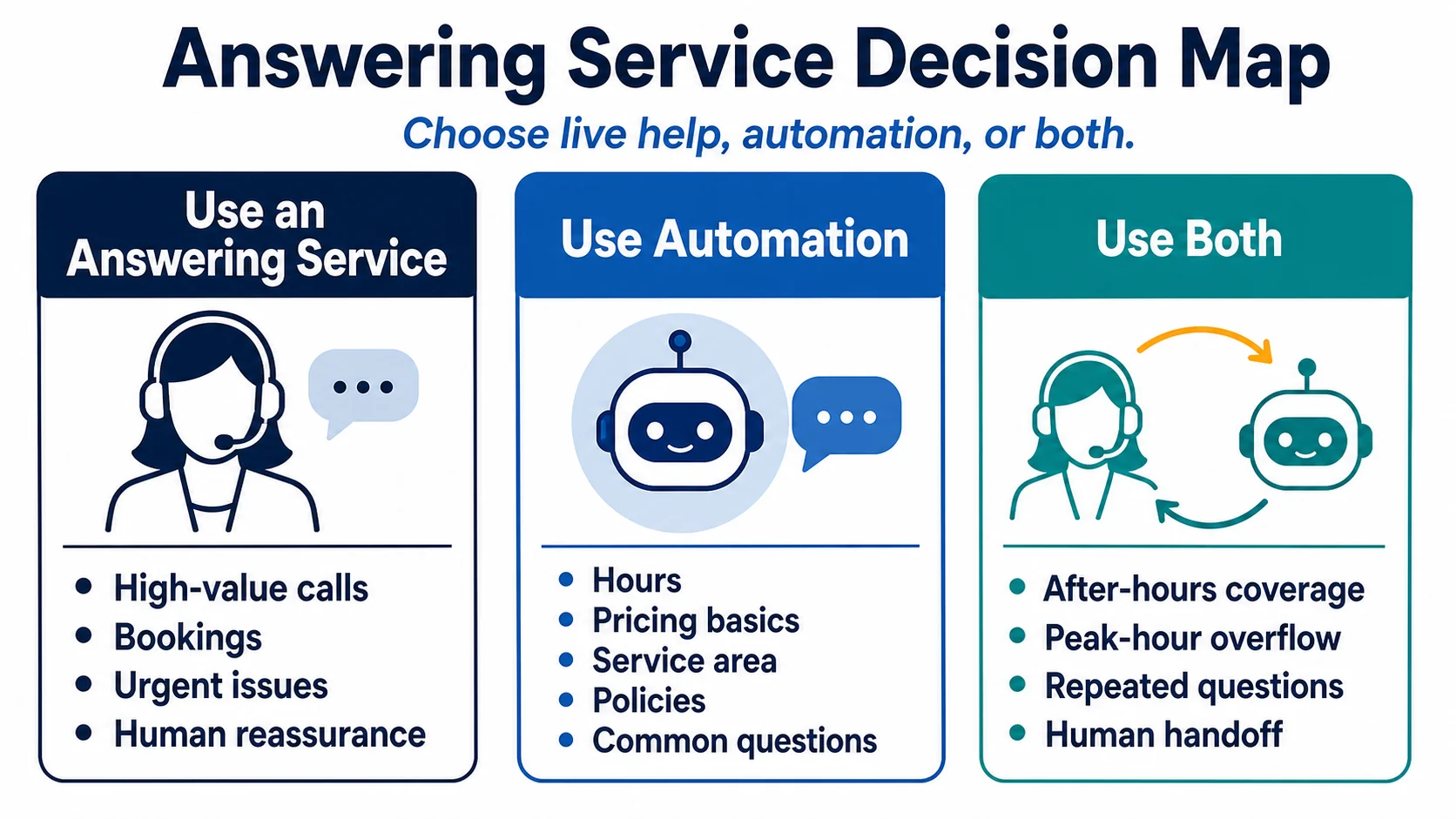
What an Answering Service Can Do
The name on the plan is less important than the contracted tasks. Depending on the provider and plan, an answering service may:
- Answer with your business name.
- Take a message using required fields.
- Screen a new sales inquiry against your criteria.
- Transfer selected calls to an on-duty person.
- Follow after-hours or emergency escalation rules.
- Schedule from an approved calendar.
- Send a call summary by email, text, app, or integration.
- Provide agreed language coverage.
"Answering service," "virtual receptionist," and "AI receptionist" are not precise operating specifications. One virtual receptionist may only take messages. Another may schedule appointments. An automated phone system may answer routine questions but fail when the caller has an exception. Compare the task, hours, handoff, data access, and failure behavior behind the label.
Step 1: Build a Five-Day Call Baseline
Review at least five normal business days before requesting proposals. If your business is seasonal, include a busy period and an ordinary period.
For every incoming call, record:
- Date and time
- Answered, abandoned, voicemail, or callback
- New prospect, existing customer, vendor, staff, or unrelated caller
- Reason for the call
- Whether the call needed a person at that moment
- Whether it led to a quote, booking, sale, dispatch, or retained customer
- How long staff spent on the call and follow-up
- What information was missing from your website, profile, voicemail, sign, or confirmation message
Do not guess from memory. Owners tend to remember the painful missed opportunity and forget the stream of calls about hours, directions, status, service area, and policies. Both matter, but they need different solutions.
At the end of five days, group calls into jobs:
- Capture now: a qualified new opportunity may go elsewhere if nobody answers.
- Escalate now: an existing customer has a time-sensitive operational issue.
- Complete now: a trained receptionist can finish a defined task, such as scheduling within clear rules.
- Call back: the request needs your team but can wait for a stated response window.
- Answer without a call: the information is stable, approved, and does not require judgment.
- Do not route: spam, sales solicitations, wrong numbers, and unsupported requests.
This baseline is your buying specification. A provider cannot design a good script from "Please answer professionally."
Step 2: Choose Coverage by Call Type
A small business rarely needs the same coverage for every hour and every call.
| Call type | Good first route | Human boundary |
|---|---|---|
| New quote request | Live qualification or structured callback | Final scope, price, and feasibility stay with authorized staff |
| Urgent service problem | Live answer with an escalation tree | Receptionist follows the tree and does not diagnose |
| Appointment request | Live scheduling only if rules and calendar access are reliable | Exceptions and special requests go to staff |
| Hours, location, service area, preparation | Website, voicemail, link, QR code, or approved automated answer | Unclear and exceptional cases can reach a person |
| Complaint or refund request | Live acknowledgement and documented handoff | Receptionist does not promise an outcome |
| Order or job status | Staff callback unless the provider has accurate, authorized access | No invented status or delivery promise |
Then choose the time window. You may need overflow during field work, lunch coverage, after-hours lead capture, weekend dispatch, or full business-hour reception. Buying 24/7 coverage for a business that cannot act until Monday may create a better greeting without a better customer outcome.
Step 3: Compare the Real Coverage Models
Voicemail with a disciplined callback
This is the lowest-complexity option. It works when calls are not urgent, callers accept the delay, and your team consistently returns messages within a stated window. It fails when voicemail is vague, the mailbox fills, or nobody owns the callback queue.
Live answering service
A live agent can listen, reassure, ask a follow-up question, and handle unusual speech better than a rigid menu. Quality depends on training, staffing, script access, turnover, queue time, and how much context the agent can see.
Virtual receptionist
This may provide broader front-desk work, such as scheduling or lead qualification. Confirm that the plan includes the exact actions you need. "Scheduling" may mean sending a booking link rather than placing an appointment. "Lead qualification" may mean collecting only a name and phone number.
Automated phone assistant
A phone-based automated system can be useful for stable questions and structured routing. Test interruptions, accents, background noise, names, numbers, repeat requests, silence, and the path to a person. Confirm what happens when the system is uncertain.
Self-service before the call
A clear service page, FAQ, voicemail, booking instruction, public answer link, or QR code can remove calls that exist only because information is missing. This is not a substitute for live help. It is a way to reserve live help for work that needs it.
Step 4: Calculate Total Cost, Not Just the Plan Price
Provider pricing structures change, so compare your own expected scenario instead of relying on a generic price range.
Use this monthly worksheet:
Total operating cost = base plan + expected usage + transfers + scheduling or task fees + after-hours and holiday fees + language coverage + integrations + internal follow-up time + correction time.
Ask each provider to price the same call sample from your five-day baseline. Include ordinary and busy-day volume, average call length, transfers, messages, appointments, after-hours calls, and the languages you actually need.
Then compare outcomes:
- How many qualified opportunities reached the right person?
- How many callers received an accurate answer?
- How many messages required staff to call back for information the agent should have collected?
- How many transfers failed?
- How much time did your team spend correcting summaries or updating scripts?
The cheapest minute can be expensive if it creates a second call. A higher-cost call can be worthwhile if it captures a qualified opportunity and hands your team a complete summary.
Step 5: Ask Vendors Operational and Security Questions
Your answering service may receive names, phone numbers, addresses, job details, appointment information, call recordings, or access to a calendar and CRM. Treat vendor access as an operating and security decision.
The FTC's small-business security guidance recommends understanding what information a business holds, limiting access, protecting accounts and data, and setting security expectations with service providers. Turn those principles into specific questions:
- Which agents and subcontractors can access our calls, messages, recordings, calendar, or CRM?
- Where is information stored and for how long?
- Can we turn recording off, and how is consent handled where required?
- Is multifactor authentication available for administrative access?
- How are staff accounts removed when roles change?
- How does the provider report a security incident or service outage?
- Can we export our scripts and messages when the contract ends?
- How are deletion requests and retention settings handled?
- What tasks are explicitly excluded?
Do not send sensitive work to a general answering service merely because an agent can take a message. Exclude regulated or high-risk data unless your organization has completed the required review and contracted for an appropriate service.
Include accessibility in acceptance testing
The FCC explains that Telecommunications Relay Services help people with hearing or speech disabilities place and receive telephone calls. Ask how the provider handles relay calls, slower turn-taking, text-to-voice mediation, and callers who need information repeated. Do not let an agent dismiss a relay call as spam because it follows a different rhythm.
Step 6: Write a Script That Routes Decisions
A useful script is not a long company biography. It is a small decision system.
For each call type, define:
- The opening and business name.
- The questions the agent must ask.
- The answers the agent may give.
- The claims the agent may not make.
- The person or queue that owns the next step.
- The conditions for a live transfer.
- The backup when the transfer fails.
- The response window the agent may promise.
For a new equipment-repair lead, a script might collect the company, site location, equipment type, visible issue, shutdown status, callback number, and preferred contact window. It should not diagnose the failure, promise parts availability, quote a price, or guarantee arrival time.
Keep version numbers on scripts. When hours, service areas, on-call staff, prices, or policies change, one owner should update the source and confirm that the provider received it.
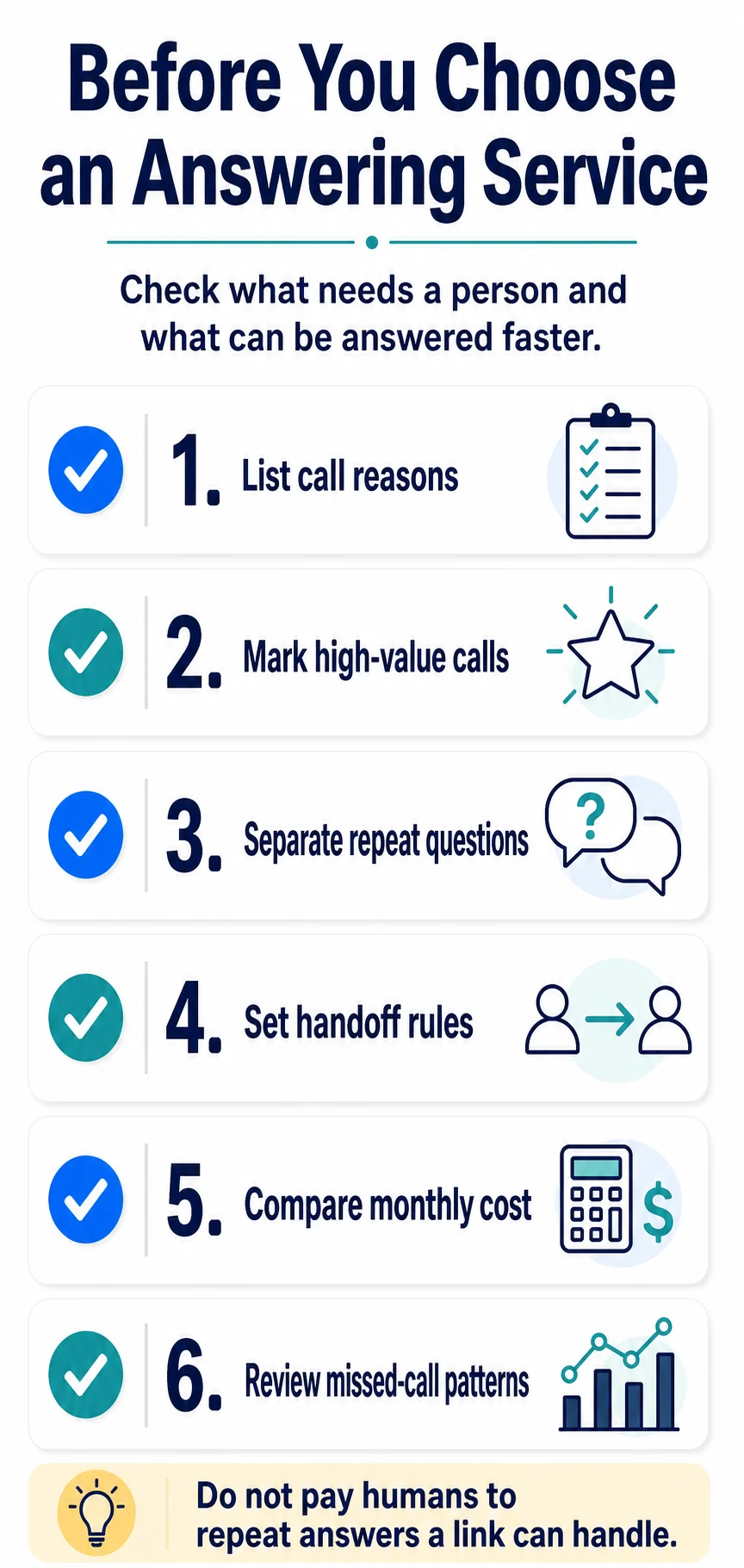
Run Ten Test Calls Before Launch
Do not test only the happy path. Place calls from numbers the provider does not recognize and vary the time of day.
- Qualified new lead: Can the agent collect the required facts and explain the next step?
- Existing customer: Does the call reach the correct queue?
- Routine question: Is the approved answer accurate and current?
- After-hours request: Is the response promise honest?
- Urgent issue: Does the escalation tree work without the agent inventing advice?
- Complaint: Does the agent acknowledge the concern without promising a refund or outcome?
- Wrong or unsupported request: Is the decline polite and clear?
- Relay call: Does the agent remain patient and follow the correct process?
- Failed transfer: Does the agent return to the caller and collect a usable message?
- Uncertain answer: Does the agent escalate instead of guessing?
Score each call from 0 to 2 for accuracy, tone, completeness, routing, and message quality. A total score makes recurring failures visible. More importantly, save the exact error and fix the responsible script, training item, integration, or owner.
A Worked Example: Industrial Equipment Repair
A small industrial equipment repair company has three field technicians and one service coordinator. The coordinator answers when available, but calls are missed during dispatch, lunch, and site visits.
The five-day audit shows:
- New service requests need a live or same-hour response.
- Active shutdowns need an on-call escalation.
- Invoice and job-status questions need staff access, not a generic promise.
- Service-area, equipment-type, and preparation questions repeat.
- Vendor and solicitation calls consume time but do not need live transfer.
The company buys overflow and after-hours coverage, not full-time reception. The provider qualifies new requests, escalates shutdowns, and creates a complete callback message. Stable service-area and preparation answers are added to the website and confirmation messages. The receptionist does not quote, diagnose, or confirm a technician arrival time.
That is a designed system. The answering service handles specific phone jobs, while the business fixes the information gaps that created avoidable calls.
Review the First 30 Days
Review weekly during the first month. Track both provider performance and the effect on your team.
- Eligible calls answered
- Average time to answer
- Qualified opportunities captured
- Urgent calls escalated correctly
- Appointments completed without correction
- Messages missing a required field
- Failed transfers
- Incorrect answers or promises
- Staff callback time
- Repeat questions that should be answered earlier
Do not count every answered call as a success. A call is successful when the customer receives the correct next step and your staff receives enough information to act.
Final Buying Checklist
- We audited at least five normal business days of calls.
- We know which calls require live, callback, and self-service routes.
- We defined coverage hours from customer need and staff availability.
- Every script states what the agent may and may not promise.
- Urgent calls have a primary and backup escalation path.
- We priced the same call scenario with every provider.
- We reviewed access, recordings, retention, vendors, and incident handling.
- We tested relay calls, uncertainty, and failed transfers.
- We assigned one owner for scripts and one for provider performance.
- We scheduled weekly reviews for the first 30 days.
The right answering service is not the one that answers the most calls. It is the one that reliably completes the phone jobs you defined, stays inside its authority, and hands your team information they can use.
Official Sources
- Federal Trade Commission: Start with Security
- Federal Trade Commission: Cybersecurity for Small Business
- Federal Trade Commission: Protecting Personal Information
- Federal Communications Commission: Telecommunications Relay Services
Frequently Asked Questions
What does a small-business answering service do?
The exact work depends on the contract. A service may answer in the business name, take messages, qualify requests, transfer selected calls, follow escalation rules, or schedule from an approved calendar. Compare tasks and limits, not labels alone.
How do I know whether my business needs an answering service?
Review at least five business days of calls. Record why each person called, whether the call was answered, whether it created revenue or urgency, and what follow-up was required. Buy coverage for the gaps that matter instead of assuming every call needs a live receptionist.
What is the difference between an answering service and a virtual receptionist?
The terms overlap. An answering service may focus on messages and overflow, while a virtual receptionist may perform broader front-desk tasks. Provider contracts vary, so compare exact tasks, hours, integrations, escalation rules, and exclusions.
How should I compare answering-service costs?
Compare total monthly cost for your expected call pattern, including base plan, usage, transfers, scheduling, after-hours work, holidays, language coverage, integrations, and staff follow-up. Also measure whether qualified opportunities and urgent calls reach the right person.
How should I test an answering service before relying on it?
Run test calls for a new lead, existing customer, routine question, after-hours request, urgent issue, wrong number, upset caller, relay call, unsupported request, and failed transfer. Score accuracy, tone, routing, privacy, and the message your staff receives.
Is RealLink AI an answering service or phone receptionist?
No. RealLink AI is a public AI answer page reached through a link or QR code. It answers from approved business information and shows question themes. It does not answer phone calls, confirm appointments, issue quotes, or replace urgent human support.