
Restaurant rush-hour operations
How to Reduce Restaurant Phone Calls During Busy Hours
Find the calls that should disappear, protect the calls that need a person, and give every guest a reliable next step.
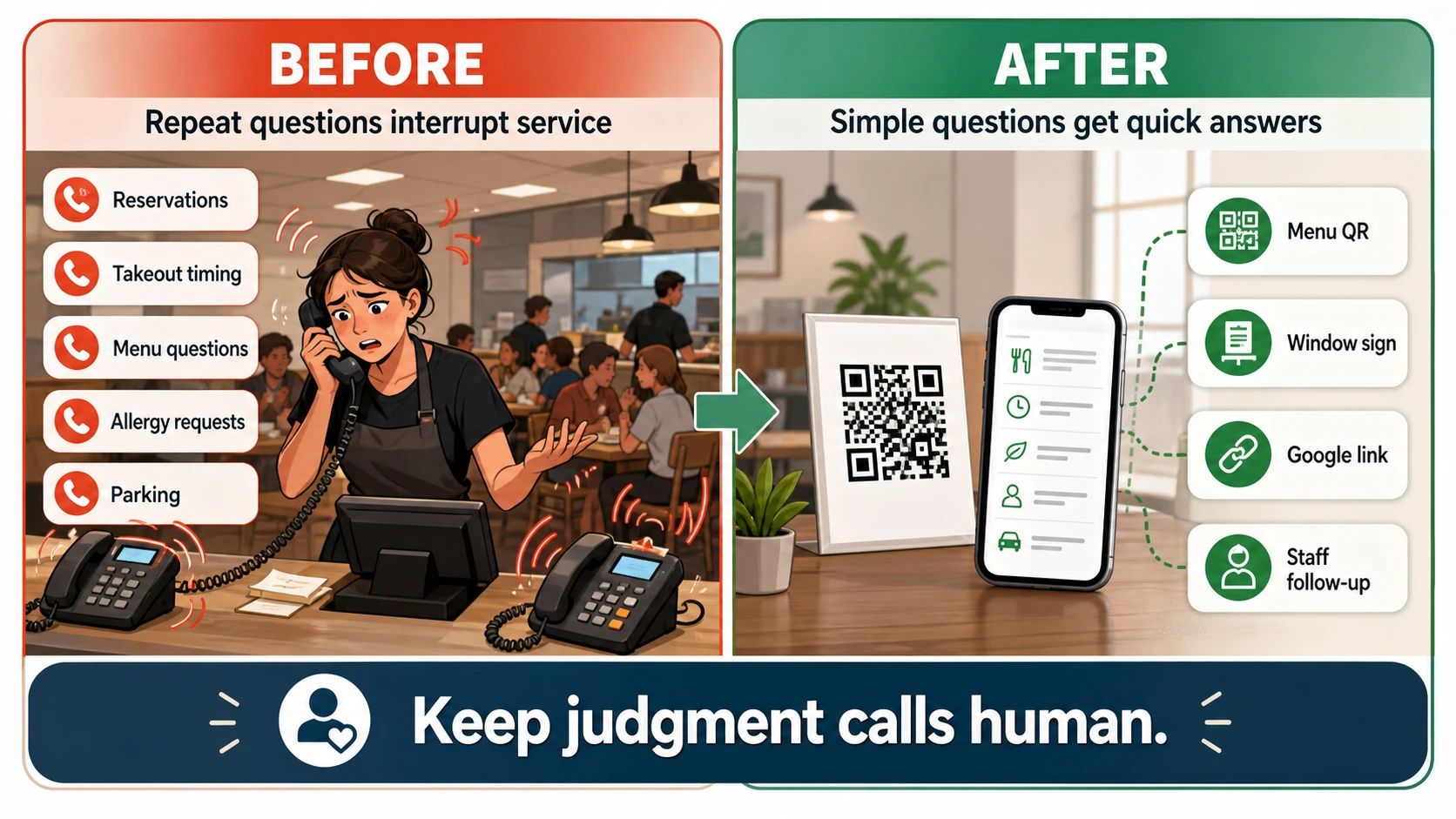
The fastest way to reduce restaurant phone calls is not to hide the phone number. It is to remove the reason for avoidable calls and design a clear route for the calls that remain.
During a lunch or dinner rush, a two-minute question can interrupt the host, counter, kitchen, and pickup line. Yet some calls contain an order problem, a large-party request, or a guest who genuinely needs help. Treating every call the same either overwhelms staff or makes the restaurant harder to reach.
This guide gives you an operating method: audit seven days of calls, classify the work behind each call, repair the public information, write a busy-hour routing plan, and test the result with realistic guest scenarios.
Step 1: Audit Seven Days of Calls
Use one full operating week. Include lunch, dinner, weekend service, and any day with different hours. Do not rely on memory; the dramatic complaint is easy to remember, while ten small questions about parking disappear into the shift.
Record one row per call:
| Field | What to capture |
|---|---|
| Time | Call time and whether it landed before, during, or after a rush |
| Reason | The guest's exact question or requested action |
| Outcome | Answered, voicemail, abandoned, callback, or resolved elsewhere |
| Owner | Host, manager, kitchen, ordering provider, catering, or another person |
| Information source | Menu, Google profile, website, order system, reservation system, or staff judgment |
| Preventable | Could accurate public information have answered it? |
| Risk | Did the call involve safety, money, conflict, urgency, or a live promise? |
At the end of the week, count reasons rather than total calls. "What time do you close?" and "Is the kitchen still open?" may belong to one information problem. "Where is my delivery?" and "My pickup order is missing an item" are different operational problems even though both concern an order.
Step 2: Route by Information Type
Use three categories.
Stable, approved information
These answers can be published when one owner keeps them current:
- Regular and special hours
- Address, entrance, parking, and accessibility information
- Official menu and ordering links
- Reservation and large-party process
- Payment methods and gift-card process
- General pickup and delivery instructions
- General service and seating policies
Publish the answer near the guest's decision, not only on an FAQ page. Hours belong on Google Business Profile, the website, voicemail, and the entrance. Pickup instructions belong in the order confirmation and at the pickup area.
Current status from a connected source
These answers change too quickly for static copy:
- Current wait time
- Whether an item is sold out
- Order status
- Today's reservation availability
- Exact pickup time
- Whether the patio is open in changing weather
Send guests to the current order, reservation, or waitlist system when it has the answer. Otherwise, give an honest staff route. An unconnected page should never invent a live status.
Human judgment
Keep these with appropriately trained staff:
- Complaints, refunds, and payment disputes
- Missing, incorrect, or unsafe orders
- Specific allergy and cross-contact questions
- Large-party and private-event exceptions
- Catering scope and final quotes
- Employee, vendor, and private business matters
- Urgent or threatening situations
Do not route every difficult issue to a general voicemail. Name the role that owns it and define the response window.
Step 3: Create One Source of Truth for Each Answer
Phone calls repeat when public channels disagree. A menu PDF shows one price, Google shows old hours, an ordering provider lists a discontinued item, and voicemail still describes last season's schedule.
Create an ownership map:
| Information | Source of truth | Public locations to update | Owner |
|---|---|---|---|
| Regular and special hours | Approved operating calendar | Google profile, website, voicemail, entrance | General manager |
| Menu items and prices | Current menu system | Website, Google menu, ordering providers, printed menu | Menu owner |
| Ordering | Preferred order provider | Google profile, website, social bio, receipt | Operations |
| Reservations and parties | Reservation policy and system | Website, Google profile, voicemail, host script | Front of house |
| Ingredient and allergy information | Approved kitchen documentation | Menu and trained staff process | Kitchen or food-safety lead |
The table is internal. Its purpose is to prevent staff from updating one channel and forgetting four others.
Step 4: Fix Google Business Profile and Action Links
Google's current restaurant guidance supports maintaining menu content, menu URLs, restaurant hours, food-ordering links, reservations, and other business details. Use the features available to your location instead of forcing a guest to call for the link.
Menu
Google Business Profile can show menu sections, items, descriptions, prices, a menu URL, and menu photos. Google notes that edits can take time to appear and that restaurant profiles may use menu data from a provider or other source. After every update, check the public profile rather than assuming the edit is live.
If Google shows several menu sources, select the preferred current source where the feature is available. Remove or report obsolete material through the appropriate process.
Hours
Use special hours for holidays, events, and short closures. Google recommends confirming holiday hours even when they match the regular schedule. If delivery, takeout, drive-through, or another service has different hours, use the available "More hours" fields instead of making the main hours misleading.
Ordering and reservations
Review the links that appear publicly. Google allows eligible restaurants to manage ordering options and preferred providers. A working action link should take the guest to the specific location and allow the promised action. Remove an incorrect or unauthorized provider through Google's process rather than telling callers to ignore it.
Platform availability can vary by country, region, and business. Only describe options visible on the actual profile.
Step 5: Write a Busy-Hour Call Plan
Decide what happens when staff cannot answer.
| Call reason | Busy-hour route | What not to promise |
|---|---|---|
| Hours, menu, parking | Website, Google profile, or public answer link | Unverified holiday or live information |
| Order placement | Preferred ordering link | That a voicemail places an order |
| Reservation | Reservation system or defined callback queue | Availability before confirmation |
| Missing or incorrect order | Manager or service-recovery queue | Refund or remake before review |
| Allergy question | Trained staff using current kitchen information | Safety or no-cross-contact guarantee |
| Catering or private event | Structured inquiry and scheduled follow-up | Final price, capacity, or date |
Assign one owner to each queue. "The manager will see it" is not a route unless the manager knows where to look and when to respond.
A Busy-Hour Voicemail Script
Use a script that gives callers a useful next step:
Thanks for calling North Street Kitchen. Our team may be serving guests right now. For today's menu, hours, online ordering, parking, and reservation policy, visit northstreet.example/help. Orders cannot be placed or changed by voicemail. For a missing or incorrect order, leave your name, callback number, order number, and a short description. For catering or a large-party request, use the event form at northstreet.example/events. We review service messages until 9 p.m. and event requests on the next business day.
Adapt the script to the restaurant's real process. Do not publish a URL nobody can type, promise a callback window staff cannot meet, or route urgent issues to a mailbox checked the next day.
Food-Allergy Questions Need a Trained Human Boundary
The FDA Food Code is a model used by jurisdictions and includes food-allergy awareness within food-safety knowledge and training. Local requirements vary, but the operational point is clear: allergy questions are not ordinary marketing copy.
A public page can show approved information such as:
- Ingredients documented for a menu item
- Whether the restaurant has a stated allergy-request process
- How to contact trained staff before ordering
- A clear statement about shared equipment or cross-contact limits, when approved
It should not determine whether a meal is safe for a particular person, infer current kitchen conditions, or guarantee that cross-contact cannot occur. Specific requests and uncertain answers go to trained staff.
Worked Example: A Neighborhood Pizza Shop
A pizza shop reviews seven days of calls and finds six recurring jobs:
- Delivery-area questions
- Half-and-half and substitution questions
- Gluten-free crust questions
- Current pickup status
- Group seating
- Parking
The owner does not put every answer into one chatbot. The team fixes each source:
- The preferred ordering provider handles delivery address and current pickup status.
- The current menu explains standard options and substitutions.
- Approved general ingredient information is published, while specific allergy safety stays with trained staff.
- The reservation page explains group size and the large-party inquiry.
- The location page and entrance sign explain parking.
- Voicemail points to each route and collects complete service-recovery messages.
The useful result is not a silent phone. It is a phone reserved for issues where a person changes the outcome.
Run Eight Guest Tests
- Holiday hours: Do Google, the website, voicemail, and the entrance agree?
- Menu item: Can a guest reach the current menu without searching several sources?
- Order placement: Does the preferred link open the correct location and complete the action?
- Order problem: Can the guest reach service recovery without placing a second order?
- Reservation: Is live availability shown only by the current system or staff?
- Allergy question: Does the flow reach trained staff without making a safety promise?
- Parking and entrance: Can a first-time guest arrive without calling?
- After-hours catering: Can the guest submit the information needed for a useful follow-up?
Test with a phone on mobile data, not only the restaurant Wi-Fi. Place a real test order or reservation only when the system has a safe test method, and cancel it according to the provider's process.
Review the First Four Weeks
Record outcomes without claiming that every change came from one page or QR code.
- Calls by reason and service period
- Calls abandoned or sent to voicemail
- Messages missing order number, callback number, or other required information
- Clicks or scans to menu, ordering, reservation, and help destinations
- Incorrect public information reported by guests
- Questions that need a new staff script or page update
- Issues incorrectly routed away from a person
Review weekly during the first month. After that, update whenever hours, menu, providers, reservation rules, parking, or service-recovery routes change.
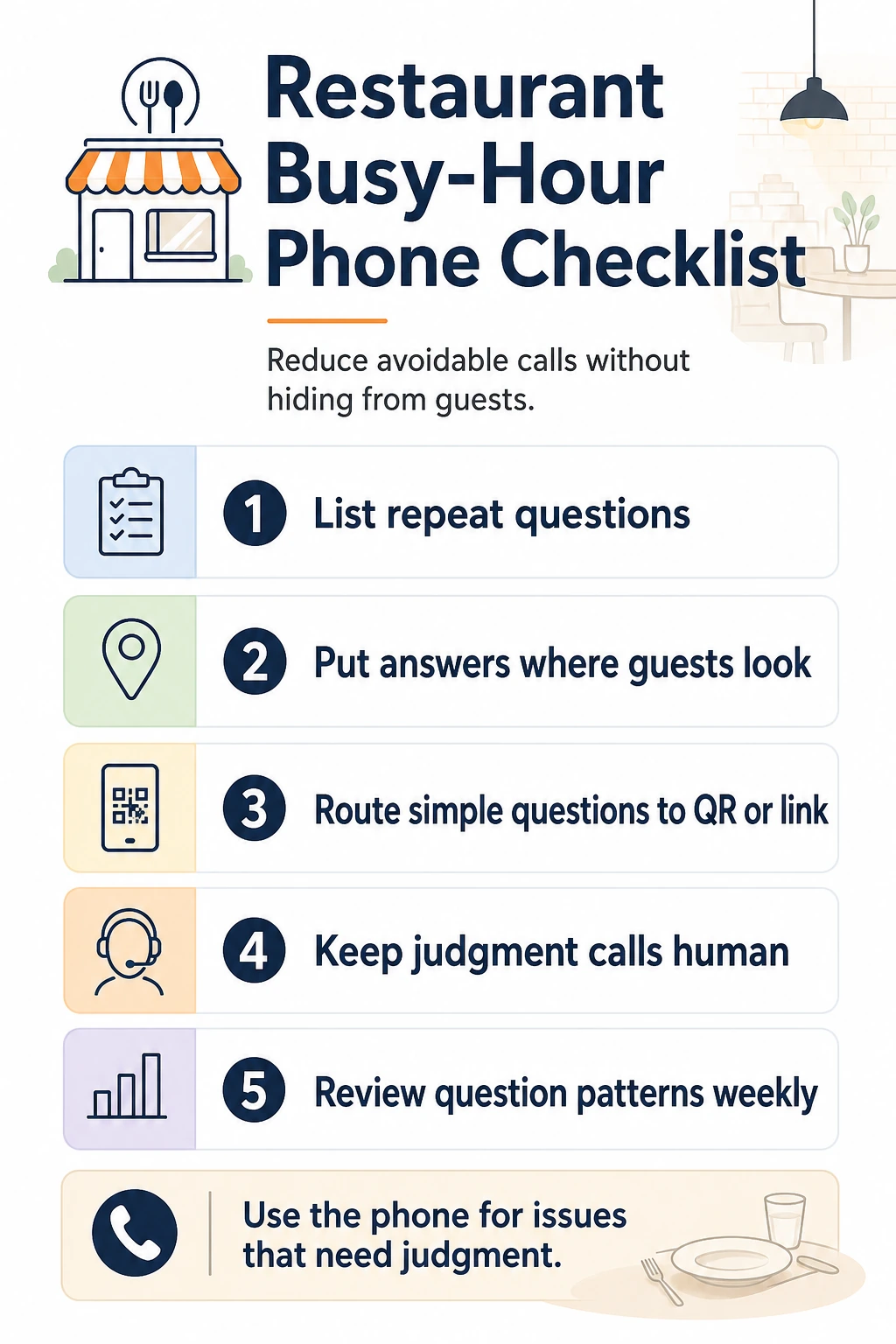
Final Checklist
- Seven days of calls are grouped by reason.
- Stable, live-status, and human-judgment questions are separated.
- Every public fact has one owner and source of truth.
- Google menu, hours, ordering, reservation, and profile information are current.
- Voicemail provides useful routes and realistic response times.
- Order problems have a service-recovery owner.
- Allergy questions have an approved trained-staff process.
- Live wait, item, order, and reservation status is never invented.
- Eight guest scenarios have passed on mobile.
- The first month has a weekly review owner.
A restaurant reduces phone interruptions by making the correct next step easier than calling. Guests who need a person should still reach one. Everyone else should be able to act on information the restaurant has already approved.
Official Sources
- Google Business Profile Help: About the menu editor
- Google Business Profile Help: Set special hours
- Google Business Profile Help: Manage online ordering options
- Google Business Profile Help: Business Profile for restaurants
- U.S. Food and Drug Administration: 2022 Food Code, updated print version
Frequently Asked Questions
How can a restaurant reduce phone calls during busy hours?
Audit a full week of calls, separate stable questions from live-status and judgment calls, correct the information on Google Business Profile and the restaurant website, route ordering and reservations to working links, and give callers an honest voicemail path when staff cannot answer.
Which restaurant questions can be answered without a phone call?
Approved information such as regular and special hours, address, parking, menu link, ordering method, reservation policy, payment methods, and general service instructions can usually be published. Live wait times, sold-out items, order status, complaints, refunds, and safety-sensitive questions need current systems or staff.
What should a restaurant busy-hour voicemail say?
State that staff may be serving guests, give the official menu and ordering destination, explain which messages will receive a callback, and provide an urgent service-recovery route. Do not promise a callback time the team cannot meet.
Can a restaurant automate allergy answers?
A restaurant can publish approved ingredient and preparation information with clear limitations. Questions about a specific guest's safety, cross-contact risk, substitutions, or current kitchen conditions should go to appropriately trained staff.
Should restaurants publish live wait and pickup times?
Only when the information comes from a current, reliable source. A static page or unconnected answer should explain how to check current status instead of inventing or repeating an old estimate.
Is RealLink AI a restaurant answering service or ordering system?
No. RealLink AI is a public AI answer page reached through a link or QR code. It answers from approved business information and shows recurring question themes. It does not answer phone calls, place orders, manage reservations, know live wait times, or assess allergy safety.