Answer at the right moment
Customers get useful answers while their interest is still fresh, even when you are busy.
 RealLink AI
Business Card AI Assistant
A business card is often handed over at the exact moment someone is interested. RealLink AI helps that moment continue: the person scans, asks a light follow-up question, gets a chat-bubble answer from the information you approved, opens the right link inside the answer, and leaves useful question data behind.
At a glance
Customers get useful answers while their interest is still fresh, even when you are busy.
Guide people to the right link, inquiry, booking, or contact option without making them search.
Repeated questions show what to explain better on the page, in print, and in your service.
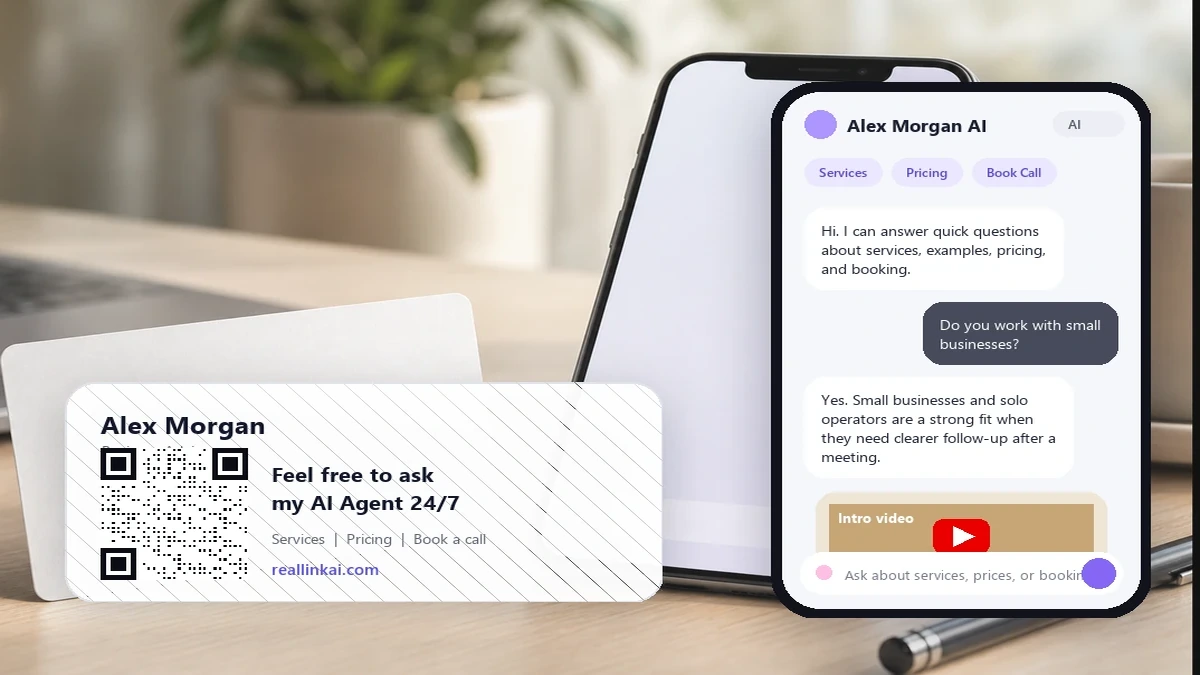
Point / Summary
Most business cards stop at contact information. That is useful, but it still leaves the other person with work to do. They may wonder what you offer, whether you serve their area, what it might cost, whether you have examples, or how to book a call. A better business card QR opens an AI answer page for those small follow-up questions. The goal is not to replace you. The goal is to keep light questions moving while you focus on higher-value work.
Who this is for
Sales professionals, freelancers, consultants, real estate agents, attorneys, accountants, coaches, agencies, tradespeople, and solo founders all hand out cards when a person has some level of interest. The problem is simple: the conversation often ends before the prospect has enough information to act.
Explain services, fit, process, and the easiest way to schedule a follow-up.
Answer area, listing, showing, buyer, seller, and appointment questions.
Clarify what you handle, what you do not handle, and when to talk to a person.
Turn one small card into a public answer point for product, service, and booking questions.
What customers ask
They rarely need a long brochure. They need quick answers that tell them whether it is worth taking the next step.
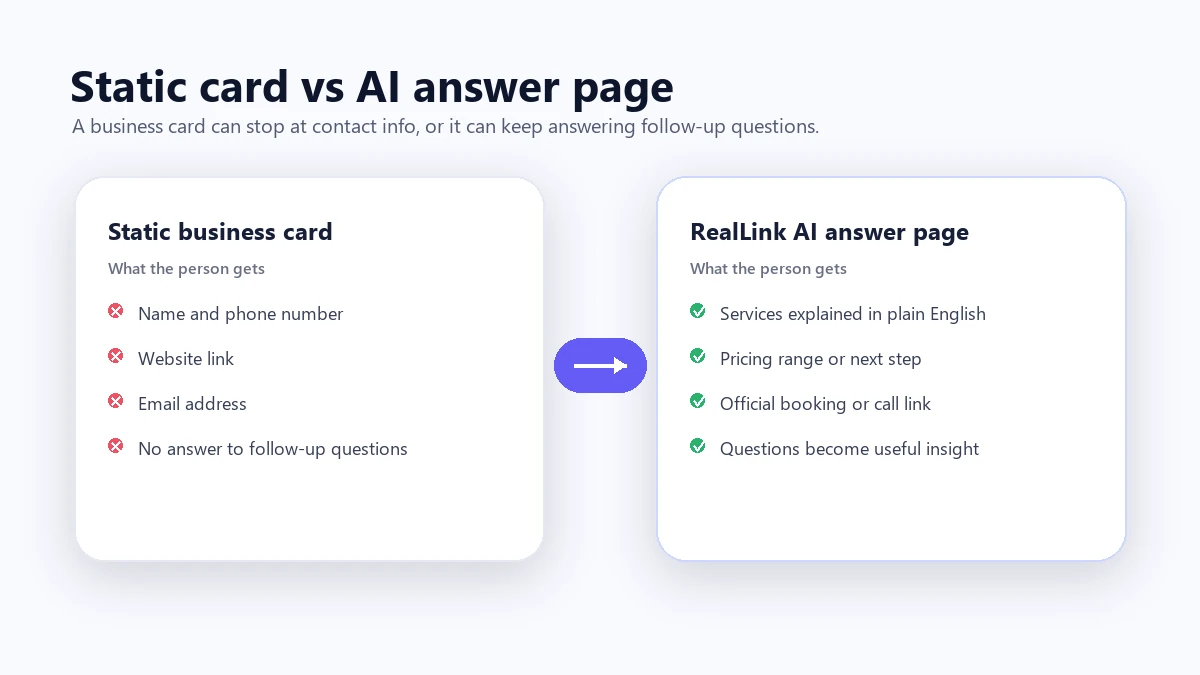
Before vs after
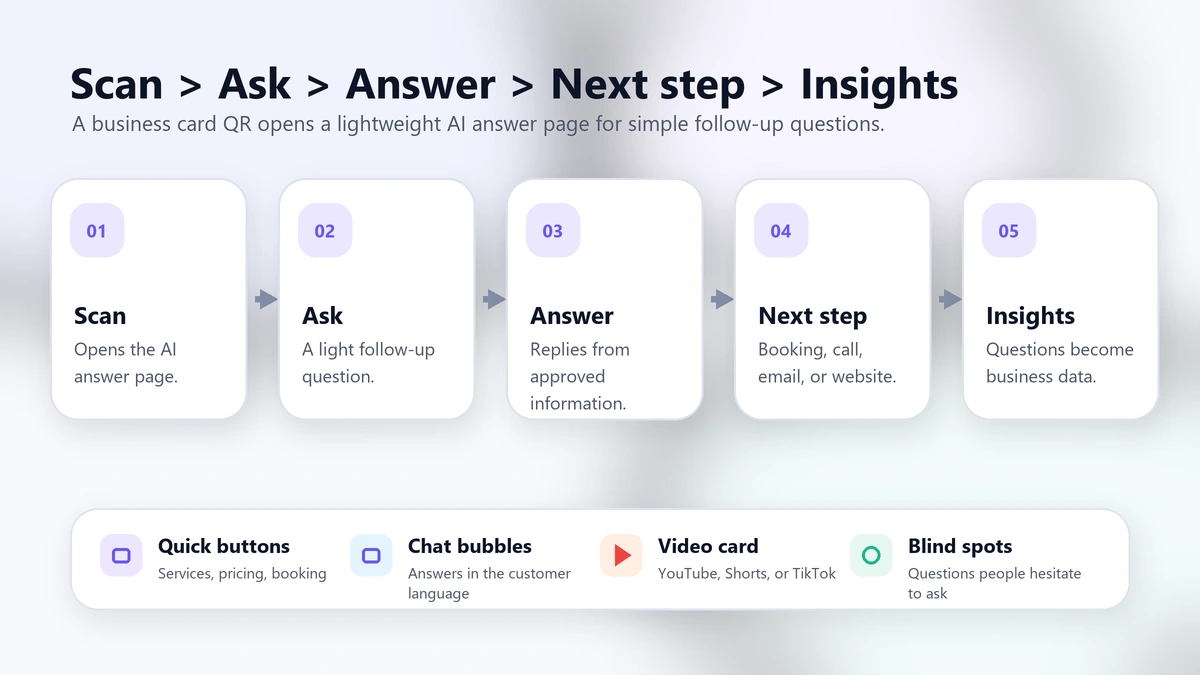
How the flow works
The flow is simple enough for a one-person business: business card QR or public link, a light follow-up question, an approved chat-bubble answer, useful links or media inside the answer, and question insights you can use later.
The QR opens the public AI answer page connected to your card.
The prospect asks what they forgot to ask in person.
The page replies in chat bubbles using information you trained or approved.
The answer can include a booking link, phone or email details, website link, short video, or examples.
You see what people ask when you are not standing in front of them.
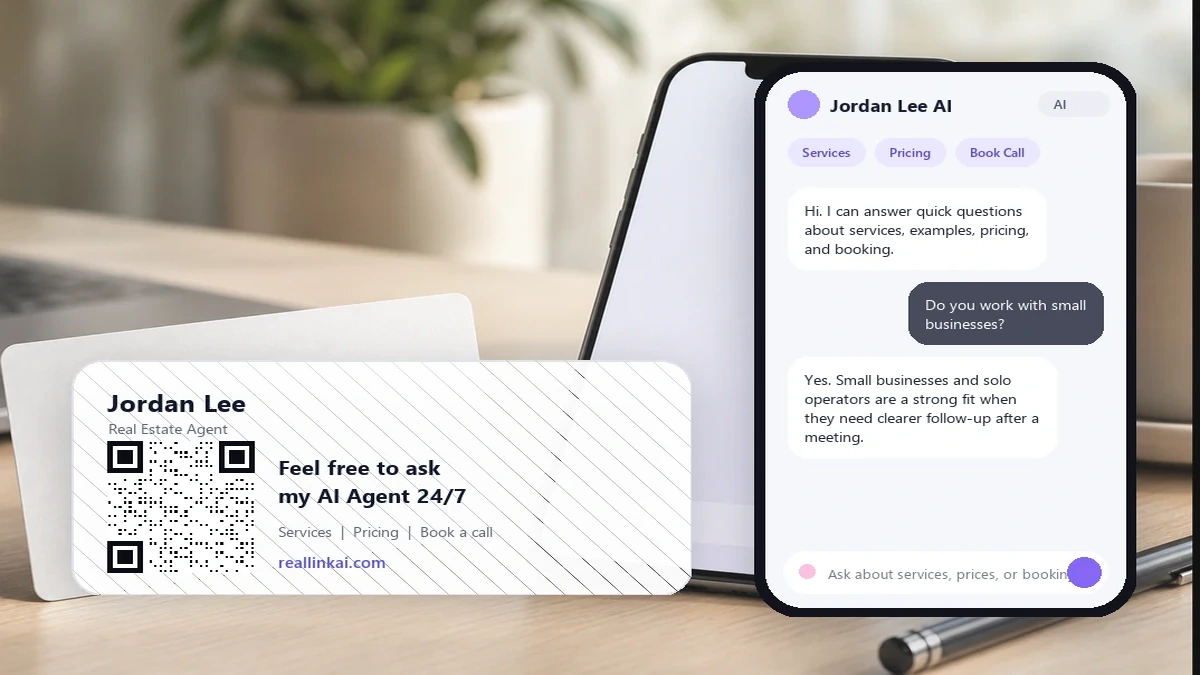
Example conversation
Hi. I can answer quick questions about Jordan Lee Studio: brand photography, small business websites, pricing range, example work, and how to book a call.
Do you work with small businesses or only larger companies?
Yes. The studio works with small businesses, solo founders, consultants, and local service providers. The most common projects are a one-day brand photo session, a simple service website, or a landing page for a new offer.
You can also watch a 45-second overview here inside the answer: [YouTube short overview].
Can I book a short intro call?
Yes. Intro calls are 15 minutes. The page can show the official booking link here: [booking link]. If you are not ready yet, you can ask for example projects or a rough starting price first.
Can you answer in other languages too?
Yes. If multilingual support is enabled, visitors can ask in their language and receive the answer in that same language.
Data and insight
Customer questions are buying signals. When people scan your card and ask questions, those repeated patterns can help you improve your pitch, card design, service page, sales script, and follow-up process. Small questions matter because many prospects never send an email for them.
See whether people keep asking about service area, price, examples, availability, process, or proof.
If the same question appears often, add that answer to the AI page, business card, landing page, or sales deck.
Notice when prospects ask in another language. This is useful for international sales, trade, tourism, real estate, and local services.
Prospects may ask an AI answer page the small questions they did not want to ask face to face. Those questions reveal what your card, pitch, or website did not make clear.
Why light questions matter
Some questions feel too small, awkward, or early to ask a person. A business card AI answer page gives the prospect a low-pressure place to ask: “Do you work with businesses like mine?”, “What does this usually cost?”, “Can I see examples?”, or “Can I watch a short overview?” Research on computer-mediated disclosure and virtual humans suggests people may be more willing to disclose concerns in lower-pressure digital settings. Use that carefully: RealLink AI is for simple questions, links, examples, and next-step guidance, not sensitive or high-stakes decisions.
If someone looks at your card after hours, the AI answer page can still answer light questions and guide them to your official booking, call, email, or website link.
The agent can handle repeated small questions so you spend more time on qualified conversations, delivery, strategy, and relationship-building.
In Johari Window terms, customer questions can reveal a blind area: things prospects noticed or worried about, but you did not know they were thinking.
Research note: seeLucas et al. on virtual humans and willingness to disclose, Suler on the online disinhibition effect, and theJohari Window framework. These sources support a cautious idea: low-pressure digital interactions can surface questions that may never become calls or emails.
Related free tool
Use the free QR code generator to make a branded QR code with logo, transparent background, SVG/EPS export, and scan testing. Then connect the QR to a smarter answer experience when you are ready.
Try the Free QR Code Generator with LogoFAQ
It should link to a focused page that helps the person continue the conversation. Include services, service area, examples, pricing range when appropriate, and a clear next step such as booking a call or sending an email.
No. A digital business card usually stores contact details. An AI answer page can answer follow-up questions and guide the prospect to a next step.
Yes. It is especially useful when prospects ask similar questions about services, area, process, examples, appointments, or pricing range after meeting you.
Yes. If multilingual support is enabled, visitors can ask in their language and receive a clear answer in that language.
Yes. The public answer page can answer simple follow-up questions when you are busy, after hours, or between meetings. This helps capture light interest that might otherwise disappear.
Yes. When it helps, an answer bubble can include media such as a YouTube video, Shorts clip, or TikTok-style explainer. Use media to explain, not to fake proof or make unsupported claims.
RealLink AI can guide visitors to your official booking link, call link, email, or website. It should not pretend to check live availability unless you connect visitors to a real booking system that handles that step.
Final quotes, regulated advice, sensitive questions, legal or financial decisions, and complex negotiations should go to a person. Use the AI answer page for simple answers, links, examples, and follow-up guidance.
You can see repeated questions, missing information, common hesitation points, popular service topics, language demand, and timing patterns. These signals help improve your pitch and follow-up materials.
Next step
Your business card can do more than share contact info. It can answer light follow-up questions 24/7, guide the next step, support multilingual replies, show helpful media, and reveal the blind spots prospects keep asking about after they meet you.
Turn your business card into an AI assistant