
What Should a QR Code on a Flyer Link To?
The best QR code on a flyer should link to a single, focused page that gives people the exact information or action they expected when they scanned.
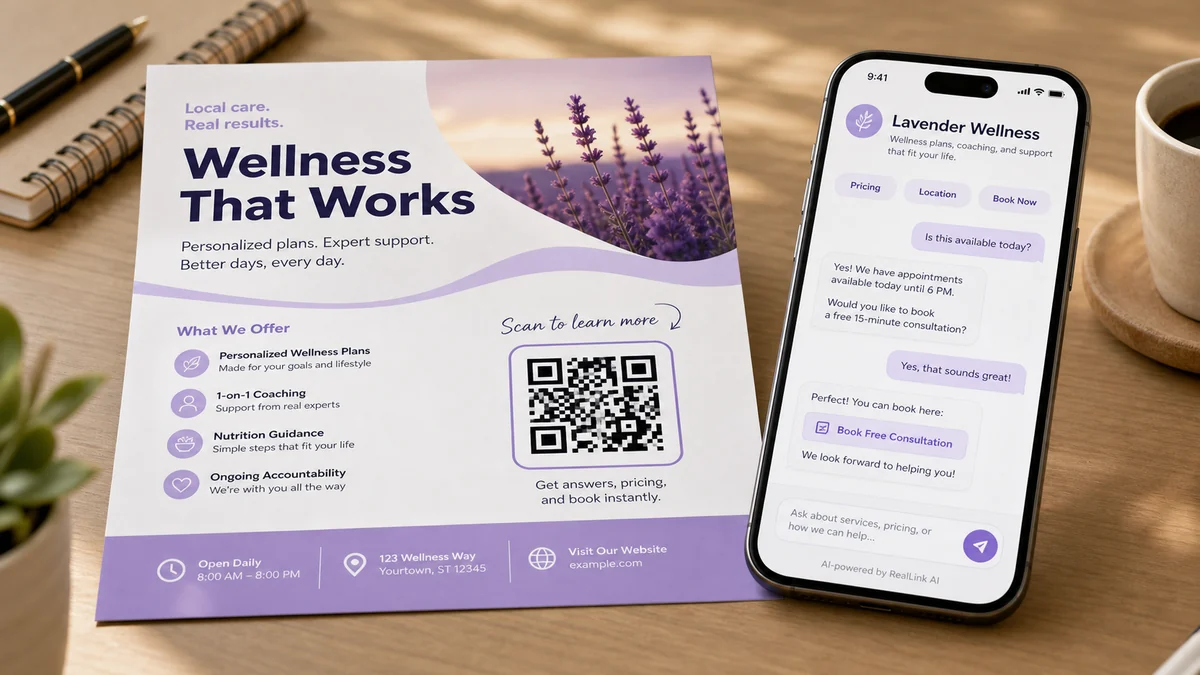
Point / Summary: What should a QR code on a flyer link to?
A flyer QR code should link to the next useful answer after the scan. If the flyer promotes a service, link to a focused service page, booking page, quote page, or AI answer page. If it promotes a product, link to the exact product or offer. If it promotes an event, link to event details and registration. Do not send every scan to a generic homepage unless that homepage already answers the flyer offer clearly. A QR code is not the strategy. The answer after the scan is.
Short version
Watch the 30-second idea behind this guide
This short shows the main point of the article: a flyer QR code should not only send people somewhere. It should open the answer that matches the question the flyer created.
- Do not send every scan to a generic homepage.
- Match the destination to the flyer promise.
- Use an answer page when customers may ask follow-up questions.
What are the key takeaways?
The safest rule is simple: match the QR destination to the moment of interest. A flyer creates a narrow question. The page after the scan should answer that narrow question, reduce uncertainty, and offer one clear next step.
A flyer QR code should not automatically go to your homepage
A flyer QR code should open the most useful next page for the offer on that flyer, not automatically your homepage. The best options are a focused offer page, service page, booking page, quote form, product page, event page, FAQ page, or AI answer page that answers the customer's immediate question.
The page should not make the customer start over. The flyer already did the first job: it got attention. The QR destination should continue from that exact promise, not send the customer into a broad navigation menu.
If the flyer says "20% off first cleaning," the QR code should not open a broad homepage with every service you offer. It should open a page that explains the cleaning offer, what is included, service areas, availability, price range, and how to book. If the flyer promotes a real estate open house, the QR code should open the property details, showing schedule, neighborhood information, and question path. If the flyer promotes a local event, it should open event time, address, registration, parking, and what to expect.
Use this practical test: after scanning, can the customer answer the question they had in less than 10 seconds? If not, the destination is probably too broad.
Why does the QR destination matter more than the QR code itself?
The QR code only creates the jump. The destination decides whether the customer gets a useful answer. Businesses often use one general QR code everywhere, but a flyer is specific. The page after the scan should be specific too.
Many small businesses print a QR code that points to the homepage because it is easy. That feels efficient during design, but it can be weak for the customer. A homepage has many jobs: introduce the company, show navigation, explain services, present testimonials, and route visitors. A flyer usually has one job: get someone to act on one message.
This mismatch creates friction. The flyer says one thing, the page says everything, and the customer has to search again. That extra search is where interest often disappears.
Printed materials also have no built-in feedback loop. If people scan and leave, most businesses never learn why. They do not know whether the customer wanted price, directions, availability, booking, product details, or proof. That is why the destination matters more than the QR code itself.
What do most flyer QR code guides miss?
Most guides explain how to make a QR code, but they do not explain what should happen after the scan. The destination, not the square code itself, decides whether the flyer becomes useful.
There are thousands of tutorials about QR size, colors, error correction, and file formats. Those details matter, especially before printing. But the bigger business question is simpler: what does the customer need right after they scan?
A good QR destination should do four things:
- Confirm that the customer is in the right place.
- Answer the top questions created by the flyer.
- Show one clear next action.
- Help the business learn what people keep asking.
That is the RealLink AI point of view: a QR code is not the strategy. The answer after the scan is. Your printed materials should not go silent once someone reads them.
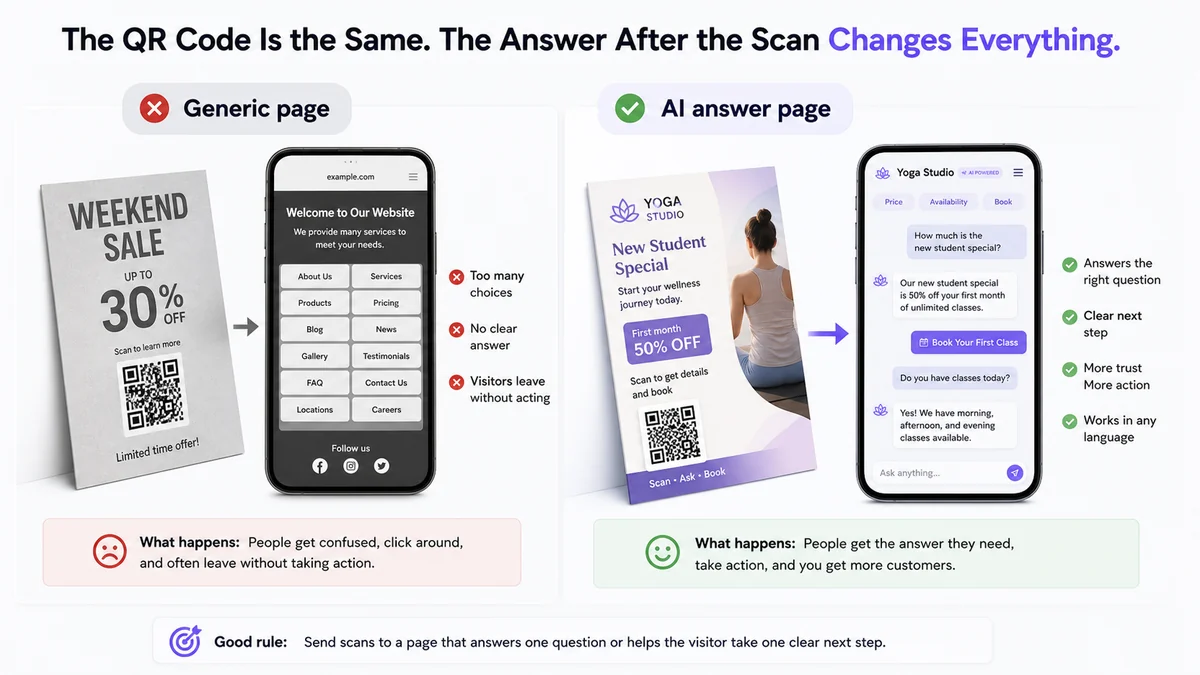
What do customers want to know after reading a flyer?
The best flyer QR destination starts with the questions customers are already thinking. Those questions usually involve the offer, price, location, availability, trust, and next step.
What exactly do you offer?
How much does it cost?
Where are you located?
Are you available today?
Do I need an appointment?
Is this offer still valid?
Can I see examples or reviews?
What should I do next?
What area do you serve?
Can I book online?
These questions are not interruptions. They are buying signals. If the same question appears again and again, your flyer is creating interest but not enough clarity. That is useful business data.
What are bad, better, and smarter flyer QR destinations?
A weak destination sends people somewhere broad and asks them to figure it out. A better destination continues the exact conversation the flyer started. A smarter destination lets the customer ask the question the flyer created.
12 better ideas for flyer QR code destinations
Choose one destination that matches the promise on the flyer. The best option is usually not the most complete page. It is the page that answers the next question fastest.
- Focused offer page.Best for coupons, seasonal promotions, limited menus, and local service specials.
- Booking or appointment page.Best when the flyer asks people to schedule a visit, call, consultation, class, or service.
- Quote or estimate request page.Best for contractors, cleaners, repair services, landscaping, and other price-by-situation work.
- Exact product or collection page.Best for retail flyers, product inserts, bundles, and store pickup promotions.
- Event details page.Best for flyers that promote dates, venues, parking, tickets, schedules, and what to bring.
- Short FAQ page.Best when the customer mostly needs price, location, hours, terms, or eligibility before acting.
- Menu, ordering, or pickup page.Best for restaurants, cafes, food trucks, and catering offers.
- Directions or location page.Best for walk-in traffic, pop-ups, open houses, event booths, and local shops.
- Examples, gallery, or reviews page.Best when trust and proof matter before the customer calls or books.
- Simple lead form.Best when the next step is collecting a name, phone, email, ZIP code, or project detail.
- Follow-up message page.Best when the flyer supports a sales handout, trade show, direct mail piece, or door hanger.
- AI answer page.Best when customers may ask different questions and you want the scan to continue like a helpful conversation.
Which QR destination should you choose by business type?
Choose the destination by asking what decision the flyer is trying to create. A restaurant flyer needs menu and hours. A contractor flyer needs quote details. A real estate flyer needs property questions. A product flyer needs options, availability, and support.
What should the first screen after the scan include?
The first screen should confirm the flyer offer, answer the most likely question, and show one clear next step. Customers should not need to pinch, search, or scroll through unrelated content to understand why they scanned.
Think of the first screen as the continuation of the flyer. The customer has already seen your printed headline. Do not start with a broad company introduction unless trust is the main barrier. Start with the thing the customer is trying to confirm.
If the first screen is useful, the rest of the page can be calmer. You can add details below: photos, testimonials, terms, full FAQ, service areas, longer descriptions, or related offers. The top of the page should earn the customer's next few seconds.
What should the flyer say next to the QR code?
The words beside the QR code should tell the customer what they will get after scanning. "Scan here" is usually too vague. A better CTA promises an answer, action, or useful next step.
Use the QR call to action to set expectations. If the scan opens a booking page, say that. If it opens an answer page, say that. If it opens a quote form, say that. Clear copy makes the QR feel less like a mystery and more like a shortcut.
For service flyers
Scan to ask about pricing, availability, and service area.
For restaurant flyers
Scan for menu details, pickup hours, and today's specials.
For product flyers
Scan to compare options, check stock, and ask before you buy.
For event flyers
Scan for schedule, location, parking, and registration.
For real estate flyers
Scan to ask about price, showing times, and neighborhood details.
For professional services
Scan to see how it works and ask a question before booking.
The best CTA is honest and specific. Do not promise instant quotes, same-day availability, discounts, or expert advice unless you can actually provide them. A clear answer promise is stronger than a vague claim.
What should you check before printing a flyer QR code?
Before printing, start with the flyer promise, list the questions a customer would ask before acting, and choose the destination that answers those questions with the least effort.
- Write the flyer promise in one sentence.Example: "Get a same-week estimate for backyard cleanup."
- List the top customer questions.Price, service area, timing, what is included, and what happens after they submit.
- Pick the destination type.Offer page, booking page, quote page, product page, FAQ page, event page, or AI answer page.
- Write a clear QR call to action.Use "Scan to ask about pricing," "Scan to book," or "Scan to check availability" instead of "Scan here."
- Make the first screen useful.Answer the main question before showing long copy or unrelated navigation.
- Check the flyer colors before printing.Use the Flyer Color Psychology Analyzer to review first impression, readability, visual complexity, and whether the QR or phone area stands out.
- Test the printed proof.Scan the real printed flyer at the actual size and distance before distributing it.
- Review scan questions after launch.Repeated questions tell you what the next flyer should explain better.
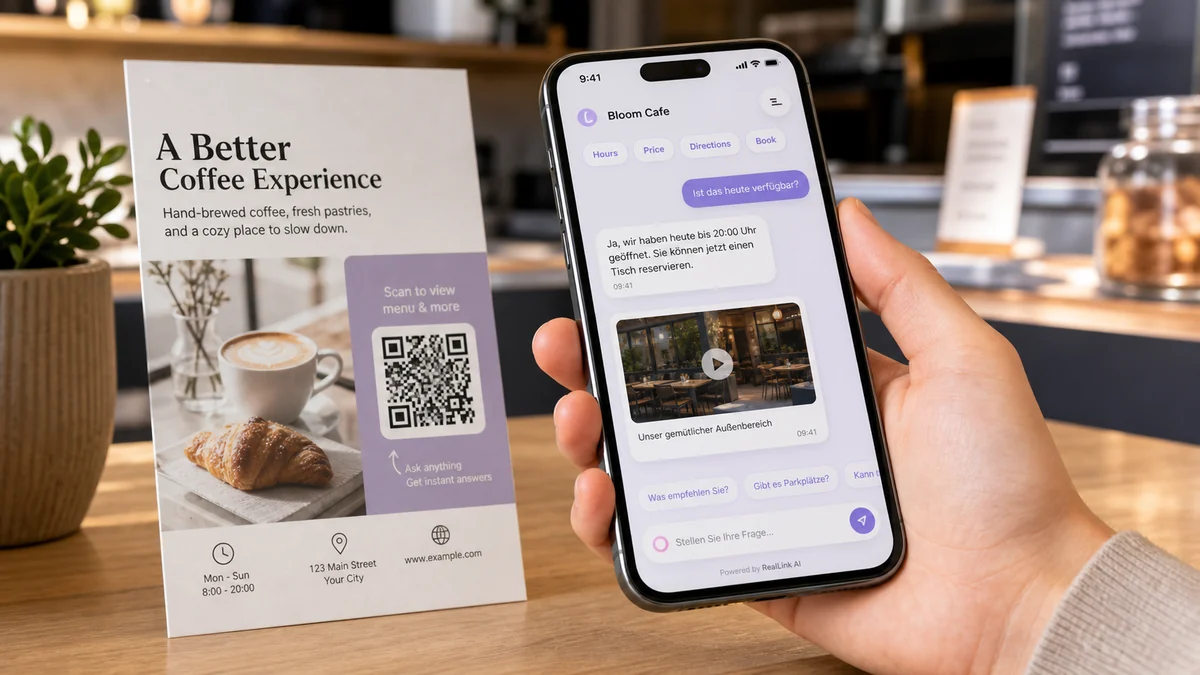
What are concrete examples of good flyer QR destinations?
A good destination depends on the flyer. The right page for a restaurant flyer is not the same as the right page for a contractor, real estate agent, clinic, or local retailer.
1. Restaurant takeout flyer
Bad: The QR code opens the restaurant homepage.
Better: It opens the takeout menu, today's hours, pickup instructions, allergen notes, and online order button.
2. Home cleaning flyer
Bad: The QR code opens a general services page.
Better: It opens a quote page that asks ZIP code, home size, timing, and whether the customer wants one-time or recurring cleaning.
3. Real estate open house flyer
Bad: The QR code opens the agent's homepage.
Better: It opens property details, showing times, neighborhood info, mortgage estimate links, and a way to ask questions before visiting.
4. Retail coupon flyer
Bad: The QR code opens the full online store.
Better: It opens the specific collection, coupon rules, store hours, pickup options, and return policy.
5. Event flyer
Bad: The QR code opens a social media profile.
Better: It opens event date, location, parking, registration, schedule, who should attend, and what to bring.
How can you do this without RealLink AI?
You can improve a flyer QR code without RealLink AI by building a focused mobile page for the flyer. Keep it simple: one offer, five to ten answers, and one main action.
Use any website builder, landing page tool, booking tool, form tool, or e-commerce platform. The important part is not the tool. The important part is matching the destination to the flyer.
A simple no-AI setup could include:
- A headline that repeats the flyer offer.
- A short explanation of what is included.
- A price range or clear note about how pricing works.
- Service area, location, or availability details.
- A short FAQ with the questions people ask before acting.
- One button for the main action: book, call, request a quote, order, or register.
This is already better than sending every flyer scan to the homepage.
When should you use an AI answer page for a flyer QR code?
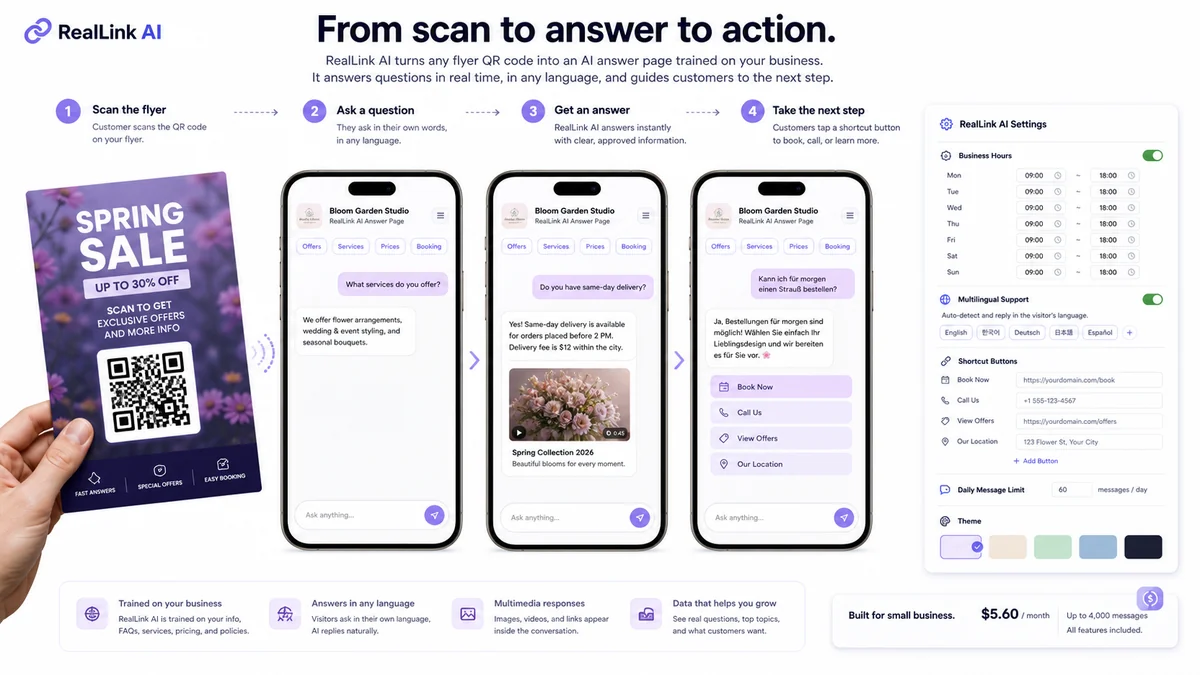
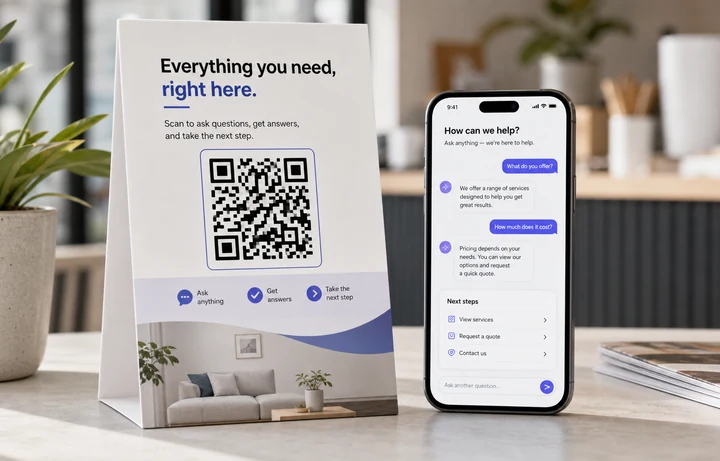
Use an AI answer page when your flyer creates questions that a static page may not cover. It turns the QR destination into a public answer point where customers ask in a message bubble, get an approved answer in a message bubble, and then use a clear shortcut button for the next step.
This is not a generic chatbot widget. A RealLink AI page can show your own greeting, quick buttons such as price, booking, directions, phone, email, or website, and answers based on the information you trained it with. If a visitor asks in German, the answer can appear in German. If your answer needs a YouTube video, TikTok video, image, or product media card, that media can appear inside the response.
You can also control how the public answer page behaves: business hours, multilingual support, session limits, blocked keywords, private access, promotions, visual themes, and handoff links. Plans are built to stay economical for small businesses, with entry pricing around $5.60 per month for up to 4,000 customer questions.
The added value is that you can see patterns. If customers keep asking whether you serve a ZIP code, whether today's offer is still available, or whether they can book online, that tells you what the flyer and answer page should make clearer next time.
Internal links with anchor text
Use internal links to connect the reader from QR education to practical tools, examples, and customer service guidance.
Free tool
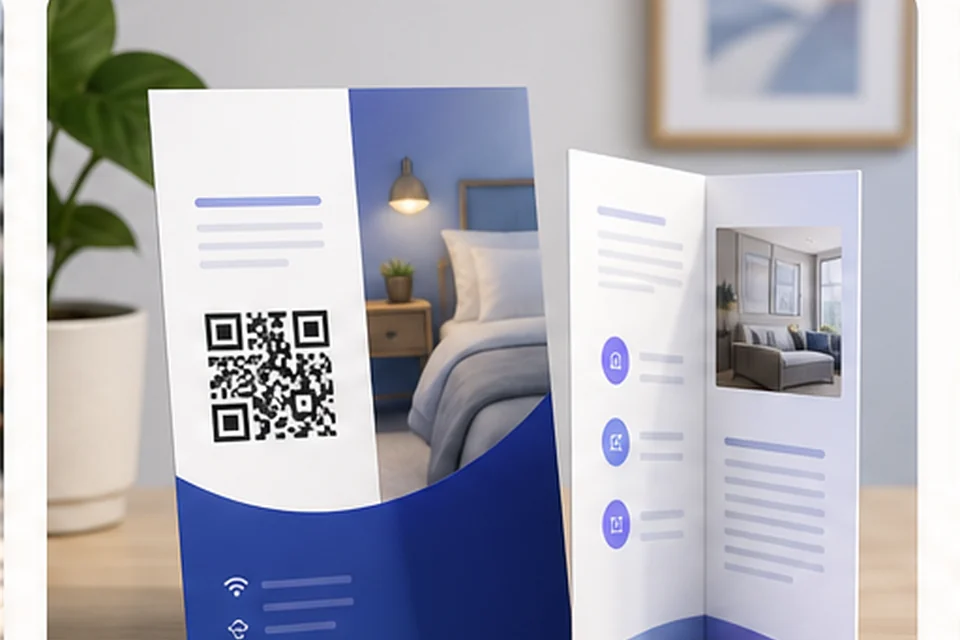
Use the Flyer QR Code Planner
Plan scan copy, placement, print checks, and the questions your flyer should answer.
Free tool
Check flyer colors before printing
Analyze first impression, readability, color complexity, and QR visibility in your browser.
Use case
Turn flyers into AI answer points
See how a flyer can continue the customer conversation after the scan.
Guide
Read QR Codes on Flyers and Brochures
Get practical ideas for printed marketing materials and follow-up questions.
Cluster
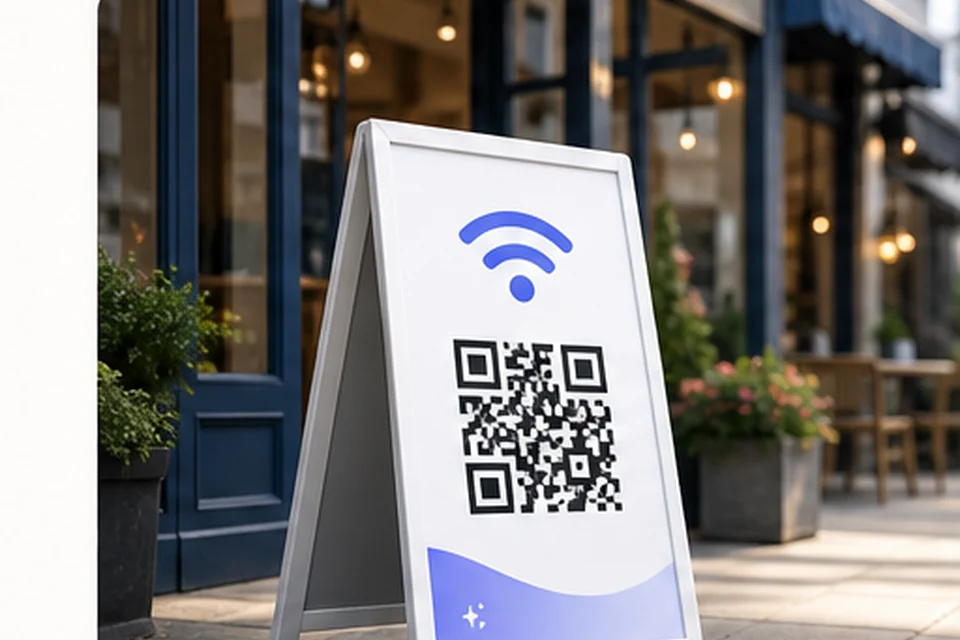
Browse more QR Code Ideas
Find more ways to use QR codes on offline customer touchpoints.

Customer service
Connect QR scans to customer answers
Learn how repeated questions can improve support and follow-up.
FAQ: Flyer QR code destinations
What should a QR code on a flyer link to?
It should link to the page that answers the question the flyer created. Common options include a focused offer page, booking page, quote page, product page, event page, FAQ page, or AI answer page.
Should I link a flyer QR code to my homepage?
Only if the homepage clearly answers the exact flyer offer. Most homepages are too broad, so a focused page usually works better.
Should a flyer QR code open a form?
Yes, if the next step is a quote, booking, estimate, registration, or consultation. Keep the form short and explain what happens after submission.
Should a flyer QR code open a social media page?
It can, but social profiles often distract from the flyer offer. Use social media only when the goal is following, viewing recent work, or confirming credibility.
Can a flyer QR code open an AI answer page?
Yes. An AI answer page is useful when customers may ask several simple questions before booking, calling, buying, or requesting a quote. RealLink AI shows those answers in a direct conversation-style page with shortcut buttons, multilingual replies, and optional media inside the answer.
What should the CTA near the QR code say?
Use a clear scan promise. Good examples include "Scan to ask about pricing," "Scan to book," "Scan to check availability," or "Scan for today's offer."
How many questions should the destination answer?
Start with five to ten common questions. Add more only if they help the customer decide without making the page feel heavy.
How should I measure flyer QR code performance?
Track scans, clicks, bookings, quote requests, calls, repeated questions, and where customers drop off after scanning.
Image manifest with exactly 4 raster images
All four images are WebP raster assets at 1200 by 675 pixels, inserted with standard img tags and descriptive alt text. They are explanatory mockups, not real customer screenshots.
Author and founder note
RealLink AI is built around a simple belief: printed materials should not go silent. A flyer can create attention, but the page after the scan should answer the question that attention created in a way customers understand immediately: a clear message, a helpful answer bubble, and a next-step button. That is why this guide focuses less on the QR code graphic and more on the answer experience after the scan.
Schema suggestions included
This page includes BlogPosting, FAQPage, HowTo, and BreadcrumbList structured data. The BlogPosting schema includes the four image fields used in the article.
Editorial metadata used for this guide
Final CTA
A QR code should not just send people somewhere.
It should answer the question they had when they scanned it. Create AI for your sign, flyer, menu, card, or packaging, with simple speech-bubble answers and clear next-step buttons.
Create AI