Trả lời đúng lúc
Khách hàng nhận được câu trả lời hữu ích khi họ vẫn còn quan tâm, ngay cả lúc bạn đang bận.
 RealLink AI
Đặt lịch hẹn AI
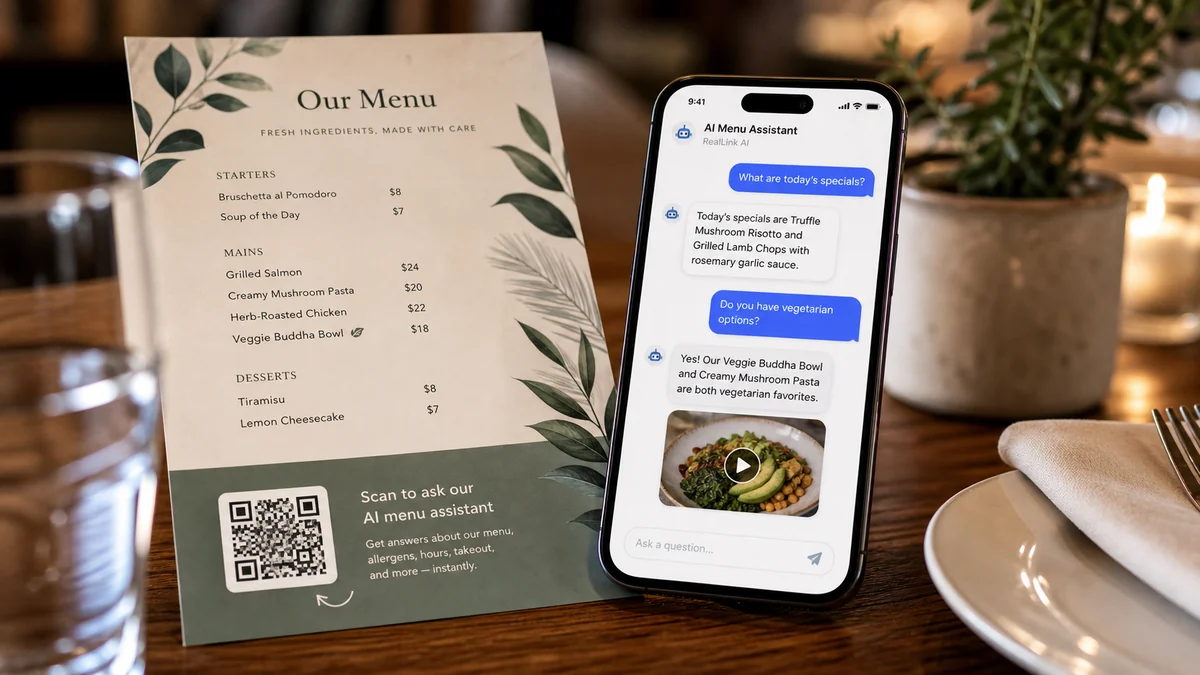
Khách truy cập có thể quét mã QR, đặt câu hỏi, chọn ngày giờ và gửi yêu cầu đặt chỗ mà không cần tạo tài khoản. Chủ sở hữu có thể xem lại yêu cầu, cập nhật trạng thái của yêu cầu và xem QR vị trí nào đã đưa yêu cầu đó vào.
Tóm tắt
Khách hàng nhận được câu trả lời hữu ích khi họ vẫn còn quan tâm, ngay cả lúc bạn đang bận.
Dẫn khách đến đúng liên kết, biểu mẫu hỏi, đặt chỗ hoặc cách liên hệ mà không bắt họ tự tìm.
Các câu hỏi lặp lại cho biết bạn cần giải thích rõ hơn điều gì trên trang, tài liệu in và trong dịch vụ.
Tóm tắt
Mọi người thường muốn biết khoảng giá, thời gian, địa điểm, quy định hủy, chỗ đỗ xe hoặc những gì cần chuẩn bị trước khi đặt phòng. RealLink AI trả lời những câu hỏi đó trước và hiển thị biểu mẫu đặt chỗ khi khách truy cập sẵn sàng.
Phù hợp
Nhận thời gian thăm khám, quy mô nhóm, ghi chú dị ứng và các yêu cầu đặc biệt.
Nhận thời gian ưu tiên và mục đích cuộc hẹn đơn giản mà không yêu cầu các chi tiết nhạy cảm.
Cho phép khách truy cập chọn ngày, giờ, quy mô nhóm và phương thức liên hệ.
Đặt bản demo, tư vấn, xem hoặc thảo luận cài đặt.
Dòng chảy
Quét mã QR hoặc mở liên kết AI công khai.
Hỏi về tình trạng sẵn có, giá cả, thời gian, bãi đậu xe, quy định hoặc sự chuẩn bị.
Chọn ngày, giờ, phương thức liên hệ và ghi chú trong mẫu đặt phòng.
Lưu liên kết trạng thái đặt phòng sau khi gửi.
Chủ sở hữu xem xét, xác nhận, hoàn thành, hủy bỏ hoặc từ chối yêu cầu.
chủ sở hữu
Ngày và giờ có sẵn, độ dài thời gian, sức chứa và thông báo tối thiểu.
Văn bản nút, tiêu đề biểu mẫu, hướng dẫn khách hàng, thông báo hủy và từ ngữ về quyền riêng tư.
Trạng thái đặt trước, chế độ xem lịch, yêu cầu gần đây và thẻ nguồn QR.
Vị trí QR nào tạo ra lượt truy cập, câu hỏi, yêu cầu và đặt chỗ.
FAQ
Trước tiên, hãy sử dụng nó như một yêu cầu đặt phòng nhẹ. Chủ sở hữu có thể xác nhận sau khi kiểm tra yêu cầu.
Hồ sơ đặt chỗ được lưu giữ trong 30 ngày và sau đó được loại bỏ theo quy trình lưu giữ.
Bước tiếp theo
Cung cấp cho khách truy cập một cách đơn giản để hỏi trước, chọn thời gian và gửi yêu cầu khi họ vẫn còn quan tâm.
Tạo trang đặt chỗ AI