ตอบได้ในเวลาที่ลูกค้าต้องการ
ลูกค้าได้รับคำตอบที่เป็นประโยชน์ขณะที่ยังสนใจอยู่ แม้ในช่วงที่คุณกำลังยุ่ง
 RealLink AI
การจองการนัดหมาย AI
ผู้เยี่ยมชมสามารถสแกนรหัส QR ถามคำถาม เลือกวันที่และเวลา และส่งคำขอจองโดยไม่ต้องสร้างบัญชี เจ้าของสามารถตรวจสอบคำขอ อัปเดตสถานะ และดูว่า QR ตำแหน่งใดที่นำเข้ามา
สรุปสั้น ๆ
ลูกค้าได้รับคำตอบที่เป็นประโยชน์ขณะที่ยังสนใจอยู่ แม้ในช่วงที่คุณกำลังยุ่ง
พาลูกค้าไปยังลิงก์ แบบสอบถาม การจอง หรือช่องทางติดต่อที่เหมาะสมโดยไม่ต้องค้นหาเอง
คำถามที่เกิดซ้ำช่วยบอกว่าควรอธิบายอะไรให้ชัดขึ้นบนหน้าเว็บ สื่อสิ่งพิมพ์ และบริการ
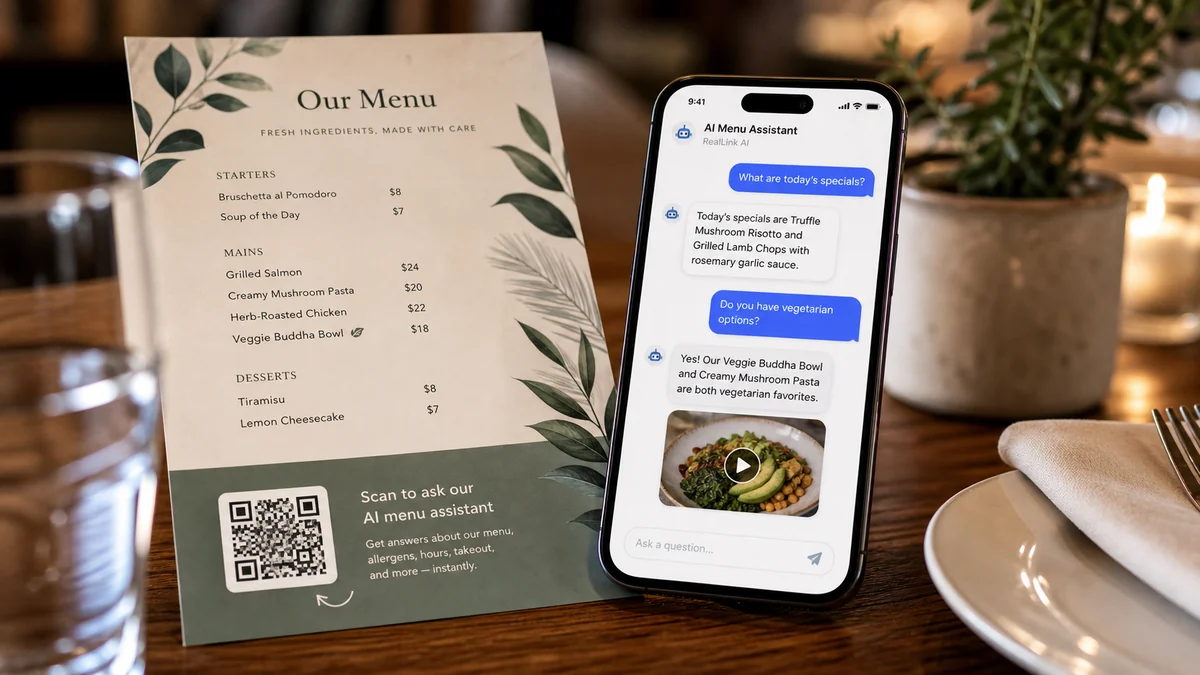
สรุป
ผู้คนมักต้องการทราบช่วงราคา ระยะเวลา สถานที่ กฎการยกเลิก ที่จอดรถ หรือสิ่งที่ต้องเตรียมก่อนจอง RealLink AI ตอบคำถามเหล่านั้นก่อน และแสดงแบบฟอร์มการจองเมื่อผู้เยี่ยมชมพร้อม
พอดี
รับเวลาการเยี่ยมชม ขนาดกลุ่ม บันทึกอาการแพ้ และคำขอพิเศษ
รับเวลาที่ต้องการและวัตถุประสงค์การนัดหมายง่ายๆ โดยไม่ต้องขอรายละเอียดที่ละเอียดอ่อน
ให้ผู้เข้าชมเลือกวันที่ เวลา ขนาดกลุ่ม และวิธีการติดต่อ
จองการสาธิต การให้คำปรึกษา การชม หรือการอภิปรายเกี่ยวกับการติดตั้ง
ไหล
สแกนโค้ด QR หรือเปิดลิงก์ AI สาธารณะ
สอบถามเกี่ยวกับห้องว่าง ราคา ระยะเวลา ที่จอดรถ กฎเกณฑ์ หรือการเตรียมตัว
เลือกวัน เวลา วิธีการติดต่อ และหมายเหตุในแบบฟอร์มการจอง
บันทึกลิงก์สถานะการจองหลังจากส่ง
เจ้าของจะตรวจสอบ ยืนยัน ดำเนินการ ยกเลิก หรือปฏิเสธคำขอ
เจ้าของ
วันและเวลาที่พร้อมให้บริการ ความยาวช่อง ความจุ และการแจ้งเตือนขั้นต่ำ
ข้อความบนปุ่ม ชื่อแบบฟอร์ม คำแนะนำของลูกค้า บันทึกการยกเลิก และข้อความความเป็นส่วนตัว
สถานะการจอง มุมมองปฏิทิน คำขอล่าสุด และแท็กแหล่งที่มา QR
ตำแหน่ง QR ใดที่สร้างการเข้าชม คำถาม การสอบถาม และการจอง
FAQ
ใช้เป็นคำขอจองแบบเบาๆ ก่อน เจ้าของสามารถยืนยันได้หลังจากตรวจสอบคำขอแล้ว
บันทึกการจองจะถูกเก็บไว้เป็นเวลา 30 วัน จากนั้นจะถูกลบออกโดยกระบวนการเก็บรักษา
ขั้นตอนต่อไป
ให้วิธีง่ายๆ แก่ผู้เยี่ยมชมในการสอบถามก่อน เลือกเวลา และส่งคำขอในขณะที่ความสนใจของพวกเขายังใหม่อยู่
สร้างหน้าการจอง AI