Answer at the right moment
Customers get useful answers while their interest is still fresh, even when you are busy.
 RealLink AI
Website / Social Bio AI Link
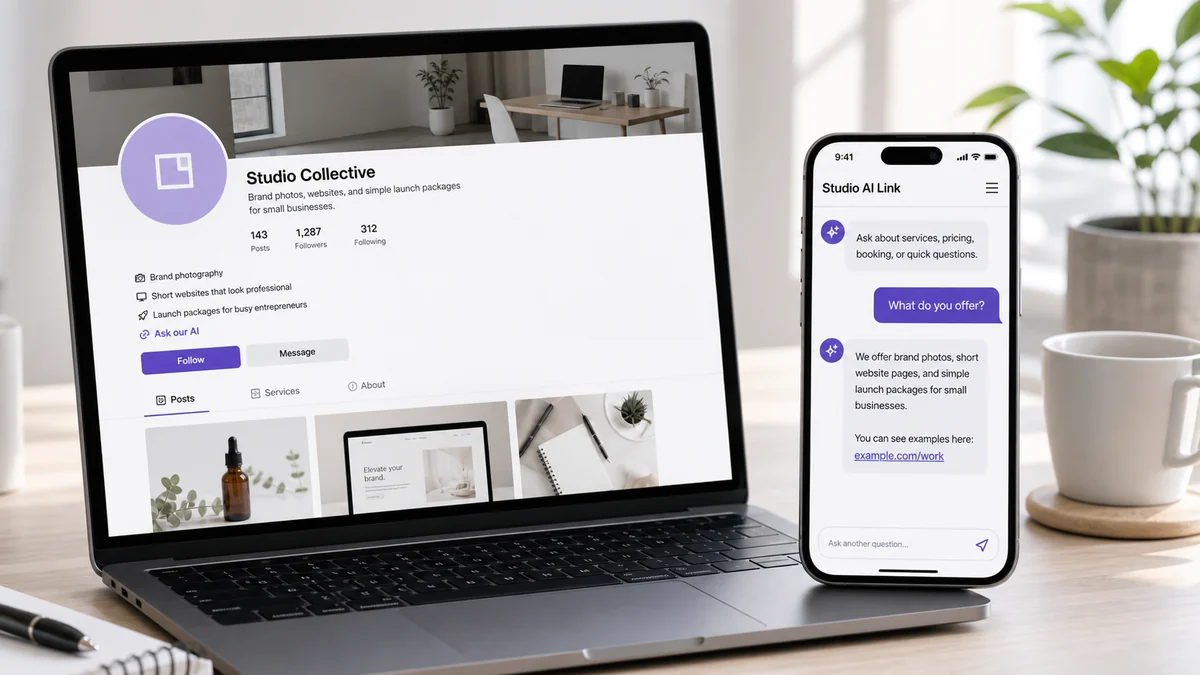
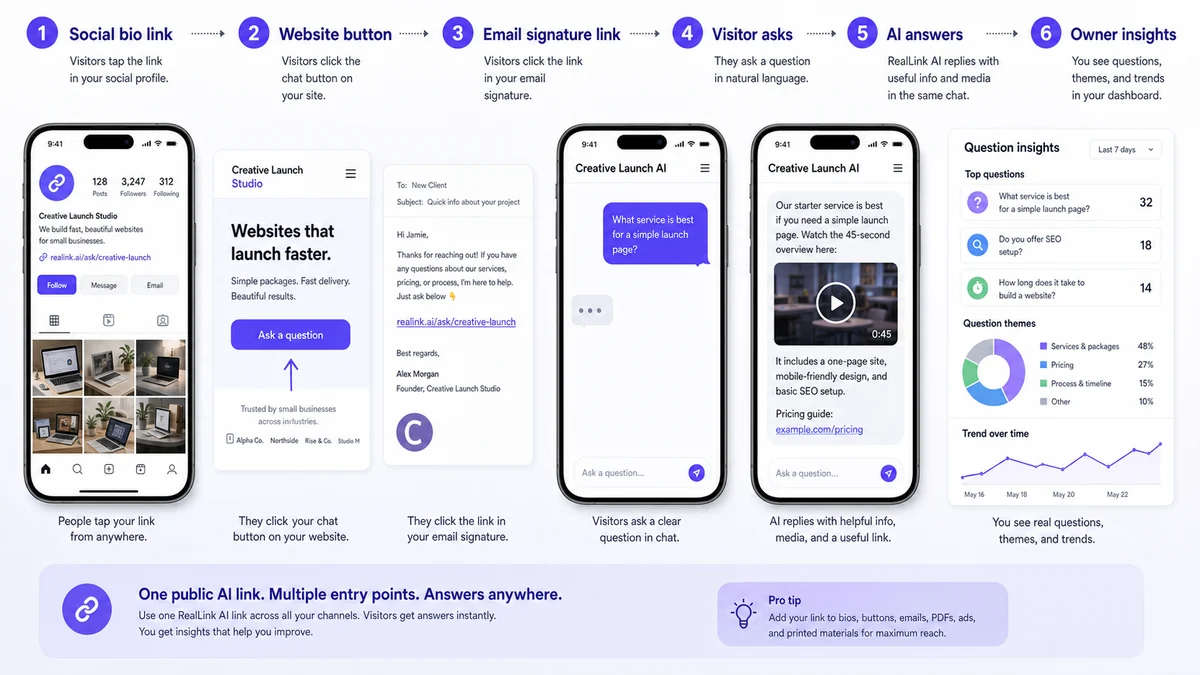
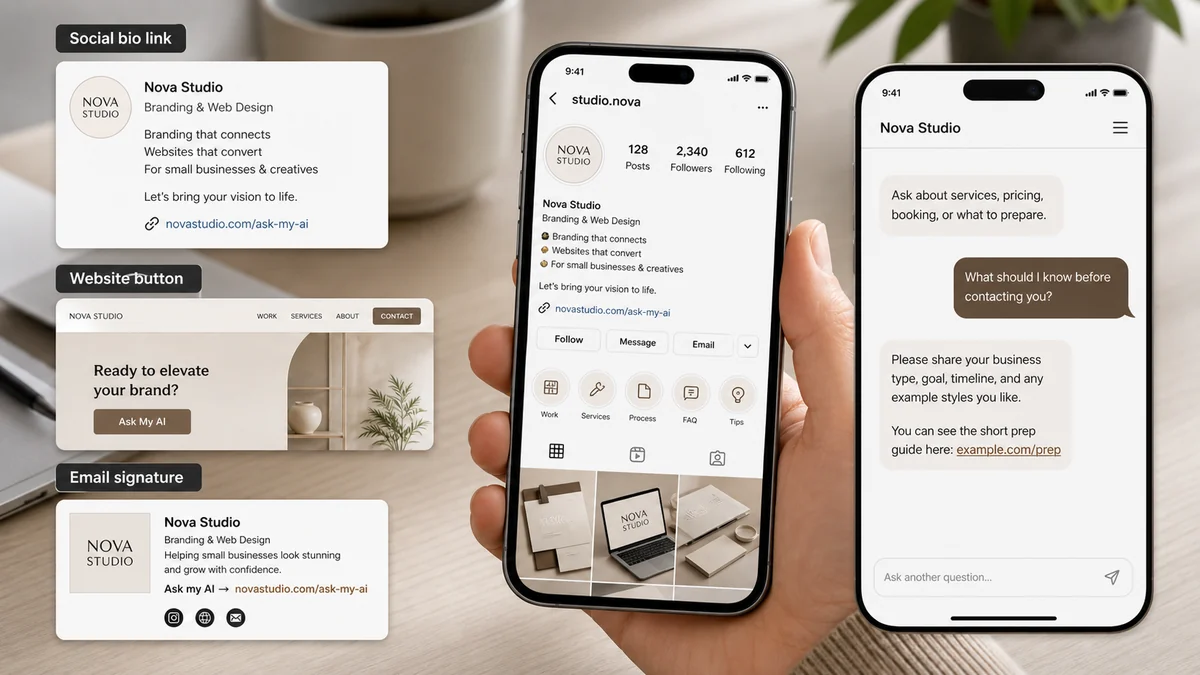
RealLink AI is not only for QR codes. Put one AI link in your social bio, website button, email signature, link-in-bio page, or profile so customers can ask about what you offer, how to book, pricing, examples, and next steps.
At a glance
Customers get useful answers while their interest is still fresh, even when you are busy.
Guide people to the right link, inquiry, booking, or contact option without making them search.
Repeated questions show what to explain better on the page, in print, and in your service.
Point / Summary
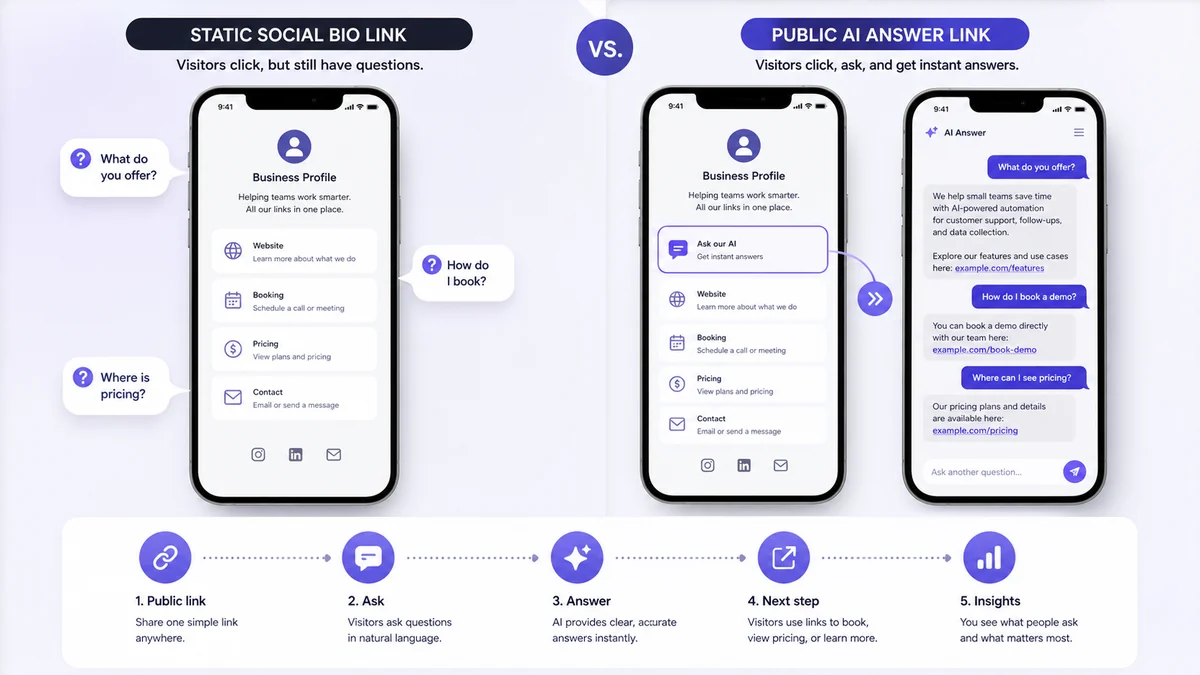
A normal link sends visitors to a page and makes them search again. A AI link lets them ask the question they already have: what you do, how much it costs, how to book, what to prepare, where to see examples, or whether you are a good fit. RealLink AI turns that link into a trained answer point and helps you see what people keep asking.
Who this is for
This page is for creators, consultants, local businesses, service providers, restaurants, salons, real estate agents, coaches, freelancers, product sellers, agencies, and solo founders who rely on a AI link.
It is especially useful when your audience finds you through a social profile, a website button, a link-in-bio page, a marketplace profile, a PDF, or an email signature, but still needs one small answer before they contact you.
Common customer questions
What do you offer?
How do I book?
What should I know before contacting you?
Where can I find pricing?
Can I ask a quick question?
Before vs after
How it works
Add the AI link to a social bio, website button, email signature, profile, PDF, or message.
A visitor opens the link instead of searching through several pages.
They ask a light question about services, booking, pricing, examples, or what to prepare.
The AI answer page replies from trained business information in a simple speech-bubble interface.
The answer can include a booking link, pricing guide, portfolio, short video, website page, or contact route inside the answer bubble.
The owner sees repeated questions and uses them to improve content, offers, profile copy, and follow-up.
Example conversation
Hi. I can help with services, price ranges, booking steps, example work, and what to prepare before contacting the studio.
What do you offer?
We offer brand photography, short website pages, and simple launch packages for small businesses. Most clients use us when they need a clear online presence before a launch, event, or sales push. You can see example work here: [portfolio link].
What should I know before contacting you?
It helps to share your business type, goal, timeline, budget range, and two or three examples of styles you like. You can watch the 45-second prep video inside this answer: [prep video].
How do I book?
The first step is a short intro call. Use the official booking page here: [booking link]. If you are not ready to book, you can ask about pricing, examples, or project timing first.
Data and insight
If visitors keep asking what you offer, your bio, headline, service page, or first answer may need simpler wording.
Questions about booking show whether people need a clearer link, a shorter process, or better instructions before they contact you.
Repeated pricing questions show whether people need a starting range, package explanation, or more transparent comparison.
People may ask an AI link small questions they would not send directly, which reveals blind spots in your public profile.
Common questions can become better profile copy, FAQ content, short videos, email templates, service pages, and sales follow-up.
Questions from social bio, website, email signature, and AI link placements can show which entry points create the strongest intent.
If visitors ask in different languages, you can see which topics and languages matter most for tourism, export, international sales, or local foreign customers.
If many visitors ask what to do next, your link should answer faster and point to the right booking, pricing, portfolio, or contact page.
FAQ
Yes. RealLink AI can be used as a AI link in a social bio, website button, email signature, link-in-bio page, profile, PDF, or message.
It should answer the simple questions people ask before contacting you: what you offer, how to book, what to prepare, where to see pricing, where to find examples, and what the next step is.
It can complement a link-in-bio page. Instead of only showing static links, the AI answer page lets visitors ask a question and receive a trained answer with helpful links or media inside the answer bubble.
Yes. Answers can include useful links or media inside the answer bubble, such as a short video, pricing guide, portfolio page, booking page, or preparation guide.
Yes, when multilingual support is enabled. Visitors can ask in their own language and receive an answer in that language from the business information you provide.
Custom quotes, sensitive requests, legal, medical, financial, regulated, unusual, or high-stakes decisions should route to a person, official form, phone number, or booking page.
You can see repeated questions about services, pricing, booking, preparation, examples, trust concerns, and next steps. These patterns can improve your profile copy, website, offer page, and sales follow-up.
Final CTA
Your social bio, website button, and email signature already create clicks. Use RealLink AI to turn those clicks into useful questions, clear answers, better next steps, and insight about what people need before they contact you.
Create a AI link for your business