Ответ в нужный момент
Клиент получает полезный ответ, пока интерес еще не остыл, даже если вы заняты.
 RealLink AI
Запись на прием AI
Посетители могут отсканировать код QR, задать вопрос, выбрать дату и время и отправить запрос на бронирование без создания учетной записи. Владельцы могут просмотреть запрос, обновить его статус и посмотреть, какое размещение QR привело к его появлению.
Коротко
Клиент получает полезный ответ, пока интерес еще не остыл, даже если вы заняты.
Направьте человека к нужной ссылке, заявке, бронированию или способу связи без лишних поисков.
Повторяющиеся вопросы показывают, что стоит лучше объяснить на странице, в печатных материалах и в сервисе.
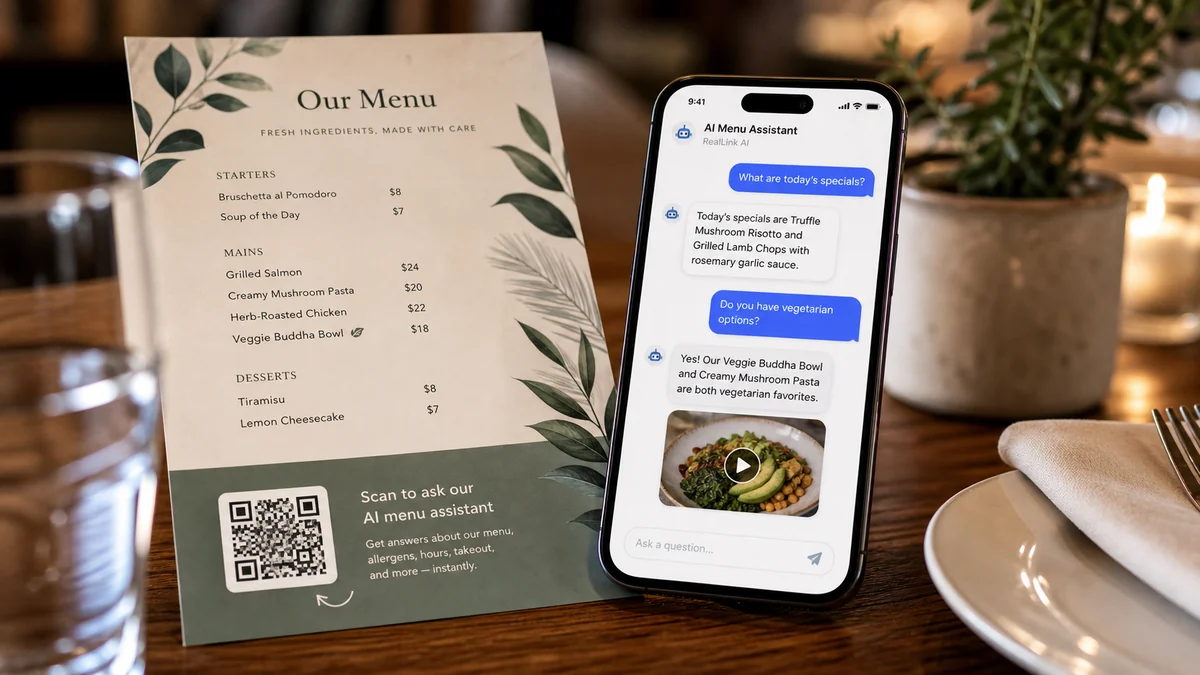
Резюме
Люди часто хотят знать диапазон цен, продолжительность, местоположение, правила отмены бронирования, парковку или что подготовить перед бронированием. RealLink AI первым отвечает на эти вопросы и показывает форму бронирования, когда посетитель будет готов.
Подходит
Получите время посещения, размер группы, примечания об аллергии и особые запросы.
Получите предпочтительное время и простую цель встречи, не спрашивая конфиденциальных деталей.
Позвольте посетителям выбирать дату, время, размер группы и способ связи.
Закажите демоверсии, консультации, просмотры или обсуждения установки.
Поток
Отсканируйте код QR или откройте общедоступную ссылку AI.
Спросите о наличии мест, цене, продолжительности, парковке, правилах или подготовке.
Выберите дату, время, способ связи и укажите примечание в форме бронирования.
Сохраните ссылку на статус бронирования после отправки.
Владелец просматривает, подтверждает, завершает, отменяет или отклоняет запрос.
Владелец
Доступные дни и часы, продолжительность слота, вместимость и минимальное уведомление.
Текст кнопки, заголовок формы, инструкции для клиента, примечание об отмене и формулировка конфиденциальности.
Статус резервирования, просмотр календаря, недавние запросы и исходные теги QR.
Какие места размещения QR вызывают посещения, вопросы, запросы и бронирования.
FAQ
Сначала используйте его как легкий запрос на бронирование. Владелец может подтвердить это после проверки запроса.
Записи о резервировании хранятся в течение 30 дней, а затем удаляются в процессе хранения.
Следующий шаг
Предоставьте посетителям простой способ сначала задать вопрос, выбрать время и отправить запрос, пока их интерес еще свеж.
Создайте страницу бронирования AI