Odpowiedź w odpowiednim momencie
Klient otrzymuje pomocną odpowiedź, dopóki jego zainteresowanie jest świeże, nawet gdy jesteś zajęty.
 RealLink AI
Rezerwacja wizyty AI
Odwiedzający mogą zeskanować kod QR, zadać pytanie, wybrać datę i godzinę oraz wysłać prośbę o rezerwację bez konieczności zakładania konta. Właściciele mogą przejrzeć żądanie, zaktualizować jego status i zobaczyć, które miejsce docelowe QR je przyniosło.
W skrócie
Klient otrzymuje pomocną odpowiedź, dopóki jego zainteresowanie jest świeże, nawet gdy jesteś zajęty.
Prowadź od razu do właściwego linku, zapytania, rezerwacji lub kontaktu bez zmuszania klienta do szukania.
Powtarzające się pytania pokazują, co lepiej wyjaśnić na stronie, w druku i w obsłudze.
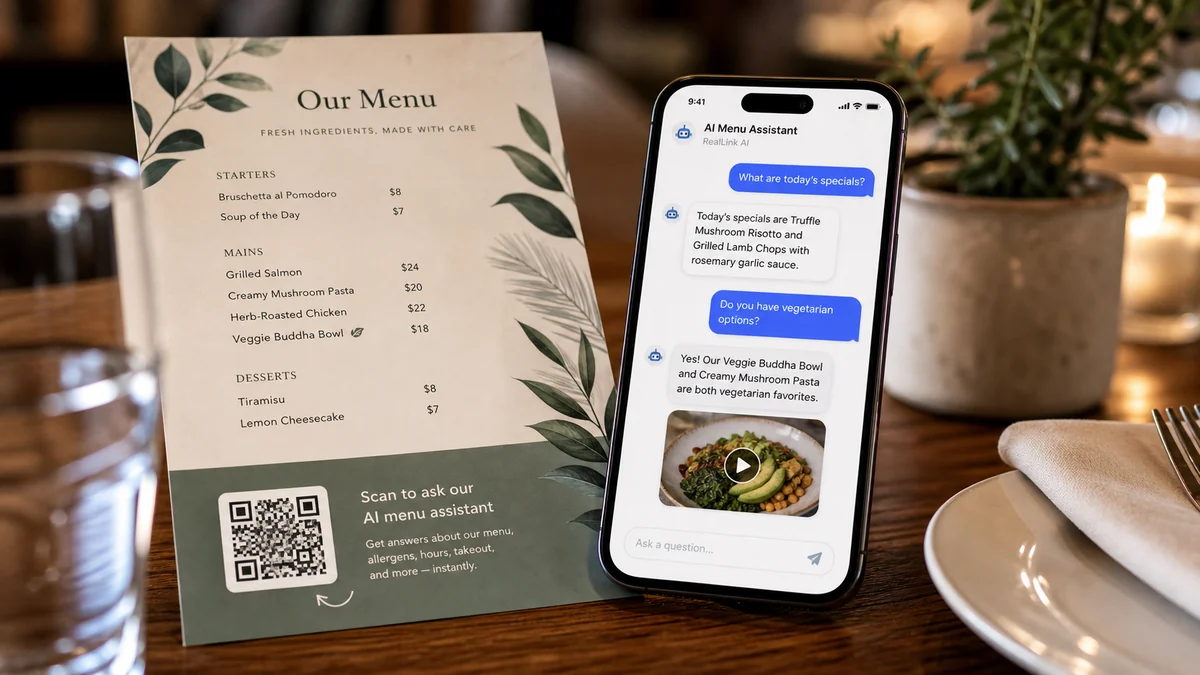
Podsumowanie
Ludzie często chcą poznać zakres cen, czas trwania, lokalizację, zasady anulowania rezerwacji, parking lub co przygotować przed dokonaniem rezerwacji. RealLink AI odpowiada na te pytania jako pierwszy i pokazuje formularz rezerwacji, gdy odwiedzający będzie gotowy.
Dopasuj
Otrzymuj czas wizyty, wielkość grupy, uwagi dotyczące alergii i życzenia specjalne.
Otrzymuj preferowany czas i prosty cel spotkania bez pytania o wrażliwe szczegóły.
Pozwól odwiedzającym wybrać datę, godzinę, wielkość grupy i metodę kontaktu.
Zarezerwuj prezentacje, konsultacje, oglądanie lub dyskusje na temat instalacji.
Przepływ
Zeskanuj kod QR lub otwórz publiczny link AI.
Zapytaj o dostępność, cenę, czas trwania, parking, zasady lub przygotowanie.
Wybierz datę, godzinę, sposób kontaktu i notatkę w formularzu rezerwacji.
Zapisz link do statusu rezerwacji po przesłaniu.
Właściciel przegląda, potwierdza, uzupełnia, anuluje lub odrzuca żądanie.
Właściciel
Dostępne dni i godziny, długość przedziału czasowego, pojemność i minimalne powiadomienie.
Tekst przycisku, tytuł formularza, instrukcje dla klienta, informacja o anulowaniu i treść dotycząca prywatności.
Stan rezerwacji, widok kalendarza, ostatnie prośby i znaczniki źródłowe QR.
Które miejsca docelowe QR powodują wizyty, pytania, zapytania i rezerwacje.
FAQ
Najpierw użyj go jako uproszczonej prośby o rezerwację. Właściciel może to potwierdzić po sprawdzeniu prośby.
Zapisy rezerwacji przechowywane są przez 30 dni, a następnie usuwane w procesie retencji.
Następny krok
Daj odwiedzającym prosty sposób, aby najpierw zapytać, wybrać termin i wysłać prośbę, gdy ich zainteresowanie jest jeszcze świeże.
Utwórz stronę rezerwacji AI