Antwoord op het juiste moment
Klanten krijgen een bruikbaar antwoord terwijl hun interesse nog vers is, ook als u bezig bent.
 RealLink AI
Afspraak boeken AI
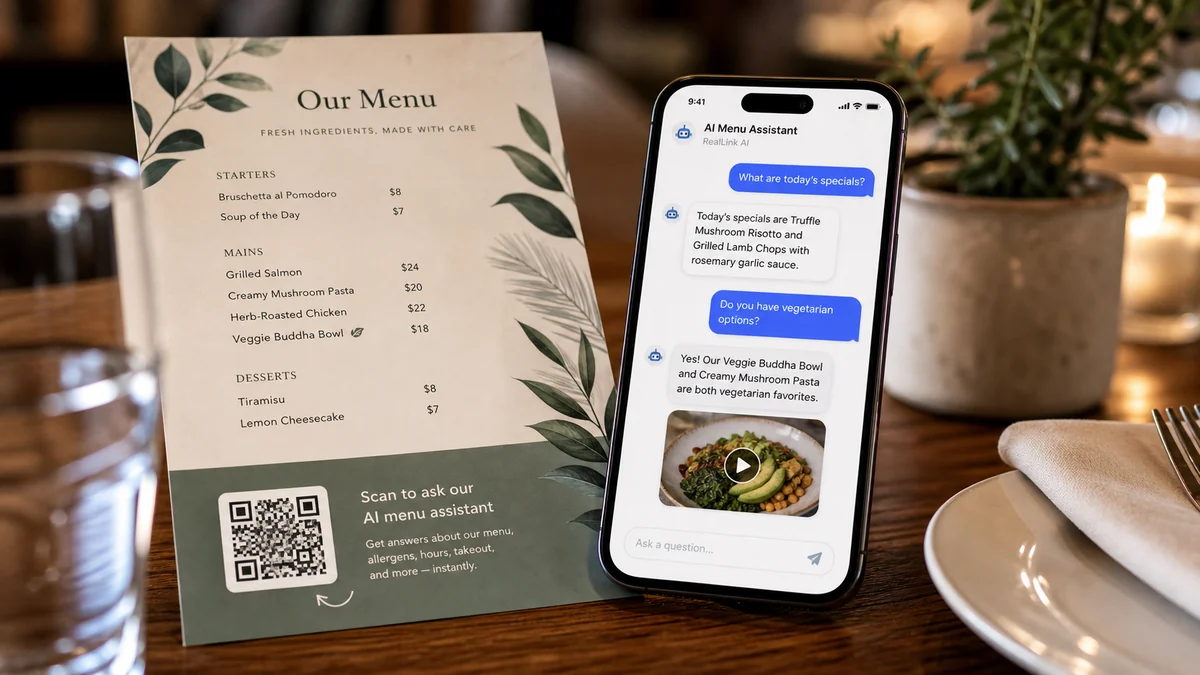
Bezoekers kunnen een QR code scannen, een vraag stellen, een datum en tijd kiezen en een boekingsaanvraag versturen zonder een account aan te maken. Eigenaren kunnen het verzoek bekijken, de status ervan bijwerken en zien welke QR plaatsing het heeft opgeleverd.
In één oogopslag
Klanten krijgen een bruikbaar antwoord terwijl hun interesse nog vers is, ook als u bezig bent.
Stuur mensen naar de juiste link, aanvraag, boeking of contactmogelijkheid zonder dat ze hoeven te zoeken.
Terugkerende vragen laten zien wat u op de pagina, in drukwerk en in uw service beter kunt uitleggen.
Samenvatting
Mensen willen vaak weten wat de prijsklasse, duur, locatie, annuleringsregels, parkeren zijn, of wat ze moeten voorbereiden voordat ze boeken. RealLink AI beantwoordt eerst deze vragen en toont het boekingsformulier wanneer de bezoeker klaar is.
Pasvorm
Ontvang bezoektijd, groepsgrootte, allergienotities en speciale verzoeken.
Ontvang een voorkeurstijd en een eenvoudig afspraakdoel zonder om gevoelige details te vragen.
Laat bezoekers de datum, tijd, groepsgrootte en contactmethode kiezen.
Boek demo's, adviesgesprekken, bezichtigingen of installatiegesprekken.
Stroom
Scan de QR code of open de openbare AI link.
Vraag naar beschikbaarheid, prijs, duur, parkeren, regels of voorbereiding.
Kies een datum, tijd, contactmethode en noteer deze in het boekingsformulier.
Bewaar de boekingsstatuslink na het indienen.
De eigenaar beoordeelt, bevestigt, voltooit, annuleert of wijst het verzoek af.
Eigenaar
Beschikbare dagen en uren, slotlengte, capaciteit en minimale opzegtermijn.
Knoptekst, formuliertitel, klantinstructies, annuleringsnota en privacytekst.
Reserveringsstatus, kalenderweergave, recente verzoeken en QR brontags.
Welke QR plaatsingen zorgen voor bezoeken, vragen, verzoeken en boekingen.
FAQ
Gebruik het eerst als een lichtgewicht boekingsverzoek. De eigenaar kan dit bevestigen na controle van de aanvraag.
Reserveringsgegevens worden 30 dagen bewaard en vervolgens verwijderd via het bewaarproces.
Volgende stap
Geef bezoekers een eenvoudige manier om eerst te vragen, een tijdstip te kiezen en het verzoek te verzenden terwijl hun interesse nog vers is.
Maak een boekingspagina AI