Answer at the right moment
Customers get useful answers while their interest is still fresh, even when you are busy.
 RealLink AI
Appointment Booking AI
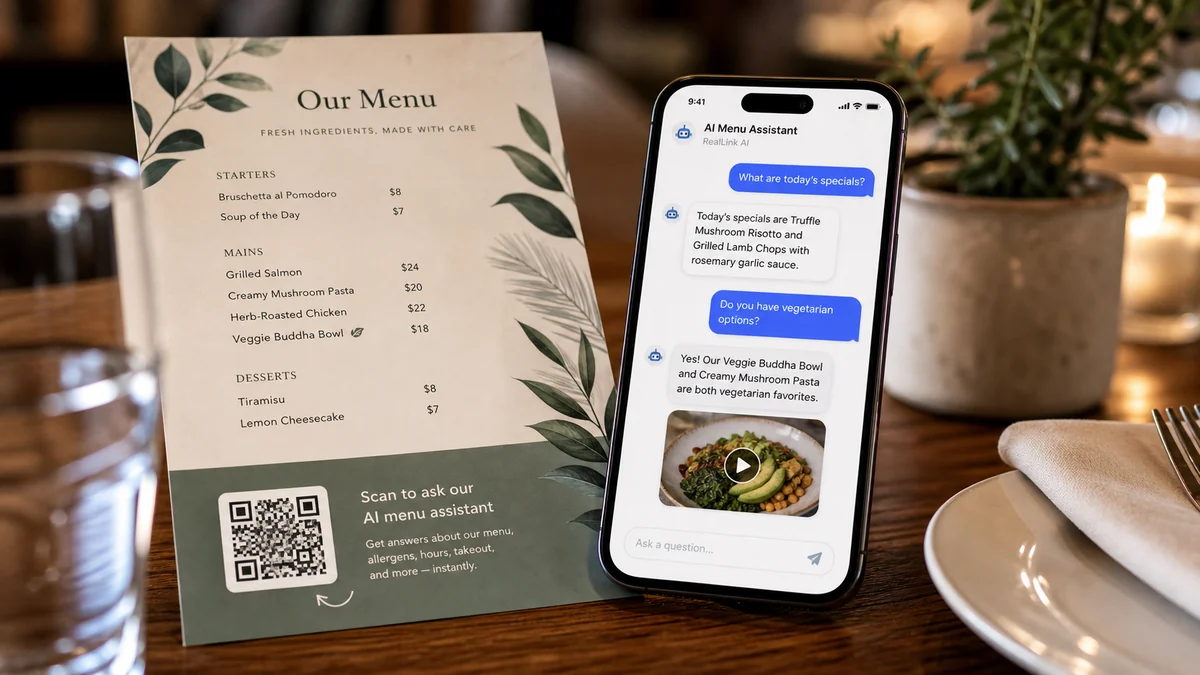
Visitors can scan a QR code, ask a question, choose a date and time, and send a booking request without creating an account. Owners can review the request, update its status, and see which QR placement brought it in.
At a glance
Customers get useful answers while their interest is still fresh, even when you are busy.
Guide people to the right link, inquiry, booking, or contact option without making them search.
Repeated questions show what to explain better on the page, in print, and in your service.
Summary
People often want to know price range, duration, location, cancellation rules, parking, or what to prepare before booking. RealLink AI answers those questions first and shows the booking form when the visitor is ready.
Fit
Receive visit time, group size, allergy notes, and special requests.
Receive preferred time and simple appointment purpose without asking for sensitive details.
Let visitors choose date, time, group size, and contact method.
Book demos, consultations, viewings, or installation discussions.
Flow
Scan the QR code or open the public AI link.
Ask about availability, price, duration, parking, rules, or preparation.
Choose a date, time, contact method, and note in the booking form.
Save the booking status link after submitting.
The owner reviews, confirms, completes, cancels, or rejects the request.
Owner
Available days and hours, slot length, capacity, and minimum notice.
Button text, form title, customer instructions, cancellation note, and privacy wording.
Reservation status, calendar view, recent requests, and QR source tags.
Which QR placements create visits, questions, inquiries, and bookings.
FAQ
Use it as a lightweight booking request first. The owner can confirm after checking the request.
Reservation records are kept for 30 days and then removed by the retention process.
Next step
Give visitors a simple way to ask first, choose a time, and send the request while their interest is still fresh.
Create a booking AI page