RealLink AI

Event Booth / Trade Show Flyer

Turn your event booth flyer into an AI answer page

A booth conversation can start interest, but visitors often leave with follow-up questions. Add a QR code that opens an AI answer page where they can ask about the product, pricing, catalog, demo, contact person, and next step after the event.

Trade show follow-up Catalog links Demo requests Multilingual visitors Question patterns
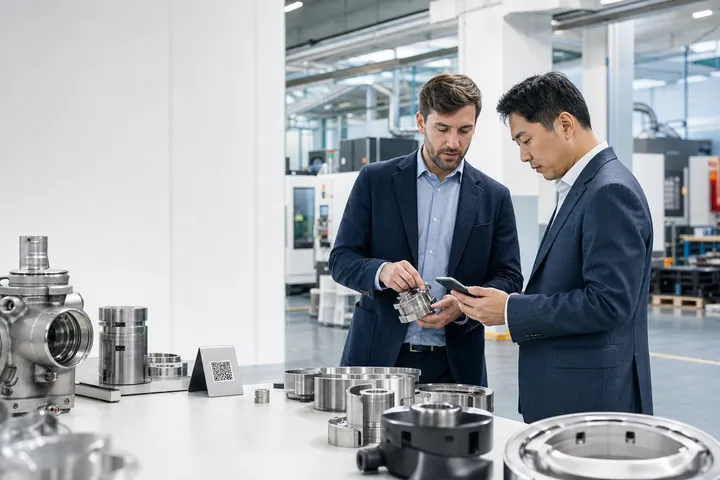
a realistic trade show booth flyer with a QR code and a phone showing an AI answer page
The booth flyer creates the first scan. The answer page keeps the follow-up alive after the visitor leaves.

Point / Summary

Do not let booth conversations disappear after the event.

An event booth flyer should not only say "learn more." The best QR destination helps a visitor continue the conversation: scan, ask the question they did not have time to ask at the booth, get an approved answer, and choose an official next step such as a demo page, catalog, pricing guide, contact form, or sales follow-up link.

Who this is for

Teams that meet interested people in a short, crowded moment.

This page is for B2B companies, trade show exhibitors, product demo booths, pop-up stores, local event vendors, conference sponsors, sampling stations, and sales teams that hand out flyers, brochures, catalogs, or QR cards.

It is especially useful when a visitor says "I will check this later," takes your flyer, and leaves before asking the questions that decide whether they become a lead.

Common customer questions

What do visitors usually ask after leaving an event booth?

01

What does your product do?

02

Can I see pricing?

03

Do you have a catalog?

04

Who should I contact?

05

Can I get a demo?

Before vs after

Static booth flyer vs RealLink AI answer page

Static booth flyer

  • The flyer gets picked up, then the visitor has to remember why they cared.
  • Limited space for product fit, pricing, catalog details, demo options, and contact routing.
  • After the event, light interest often disappears before sales follow-up starts.
  • The team only sees badge scans, forms, or meetings, not the small questions people had before converting.

RealLink AI answer page

  • The visitor scans and asks the exact question they still have after the booth conversation.
  • The answer page replies from approved product and event information and can include useful links or media inside answer bubbles.
  • Visitors can get simple answers after the event without waiting for a generic follow-up email.
  • The business can review repeated questions and improve booth scripts, sales materials, and follow-up campaigns.
a before and after comparison showing a static booth flyer versus an AI answer page
The stronger flyer QR code continues the event conversation instead of sending visitors to a generic page.

How it works

Booth flyer -> scan -> ask -> answer -> next step ->insights.

01Booth flyer

A visitor receives a flyer, brochure, QR card, catalog sheet, or demo handout.

02Scan

They scan while walking the floor, waiting between sessions, or reviewing materials later.

03Ask

They ask about product fit, pricing, catalog details, demo options, or who to contact.

04Answer

The AI answer page replies from trained product, event, and sales information.

05Next step

The answer can include an official demo link, pricing page, catalog, email, form, or video inside the answer bubble.

06Insights

The team sees repeated questions and uses them to improve follow-up, booth messaging, and sales materials.

an event booth flyer AI answer flow showing scan, ask, answer, next step, and question patterns
Use answer bubbles for links and media. Do not imply live sales confirmation or account-specific commitments.

Example conversation

A product demo booth that keeps answering after the visitor leaves.

Hi. I can help with product basics, pricing ranges, catalog details, demo resources, and the best way to contact the team after the event.

What does your product do?

It helps small operations teams organize customer questions, product requests, and follow-up tasks in one place. The booth demo showed how a customer question becomes an answer, a next-step link, and a useful insight for the team.

Can I see pricing?

The event handout lists three starting ranges: Starter for small teams, Growth for teams with multiple locations, and Custom for larger rollout needs. You can view the official pricing guide here: [pricing guide link].

Can I get a demo?

Yes. You can watch the 60-second demo video inside this answer: [demo video]. If you want a follow-up call, use the official demo request link here: [demo request link].

a realistic trade show flyer with a QR code and a phone showing demo and pricing questions
The answer page can include links and media inside the answer text, while custom commitments still route to the right team.

Data and insight

What business data does the event team get?

01

Follow-up intent

Questions about demos, pricing, contact routes, or catalogs show which visitors are moving from curiosity to action.

02

Product confusion

If many people ask what the product does, your booth headline, one-liner, or first demo screen may need to become simpler.

03

Pricing hesitation

Repeated pricing questions show whether visitors need a clearer starting range, buying process, or plan comparison.

04

Catalog demand

Questions about specs, product pages, or PDFs show what should be easier to find on the flyer and in follow-up emails.

05

Sales routing gaps

If visitors ask who to contact, the booth handout and answer page should make the right team, region, or role clearer.

06

Multilingual demand

International events reveal which languages visitors use and which topics need clearer localized answers.

07

Blind-spot discovery

Some visitors ask an AI answer page small questions they would not ask a booth rep directly, especially when they are early in research.

08

Next-event improvement

Question patterns can improve booth scripts, signage, demo order, handouts, QR prompts, and post-event email sequences.

FAQ

Questions about event booth AI answer pages

What should a QR code on an event booth flyer link to?

It should link to a focused AI answer page that helps visitors ask about the product, pricing, catalog, demo, contact person, and follow-up steps related to that event or offer.

Can this replace a sales team after a trade show?

No. It should answer simple approved questions and guide visitors to official next steps. Pricing decisions, contracts, negotiations, enterprise security reviews, and custom quotes should still go to the right person.

Can the AI answer page include a catalog or demo video?

Yes. RealLink AI answers can include useful links and media inside the answer bubble, such as a catalog link, short demo video, product overview, pricing guide, or contact page.

Can visitors ask in another language?

Yes, when multilingual support is enabled. This is useful for trade shows, export sales, tourism events, and international buyers because visitors can ask in their own language and receive an answer in that language.

What insights can event teams get from booth scans?

They can see repeated questions about pricing, product fit, catalogs, demos, implementation, contact routing, and objections. These patterns help improve booth scripts, follow-up emails, sales materials, and next-event messaging.

What should not be automated?

Sensitive negotiations, legal terms, regulated claims, security reviews, custom quotes, private customer data, and account-specific commitments should route to a person or an official form.

Is this useful for pop-up stores and local events too?

Yes. Pop-up shops, local event booths, product sampling tables, demo stations, and community event flyers can all use an AI answer page to answer simple questions after the visitor leaves.

Final CTA

Let your booth flyer keep answering after the event ends.

Trade show conversations are short. Give interested visitors a simple place to ask the next question, see useful links or media inside the answer, and move to the right follow-up step.

Turn your booth flyer into an AI follow-up page
a realistic trade show flyer with a QR code and a phone showing demo and pricing questions